
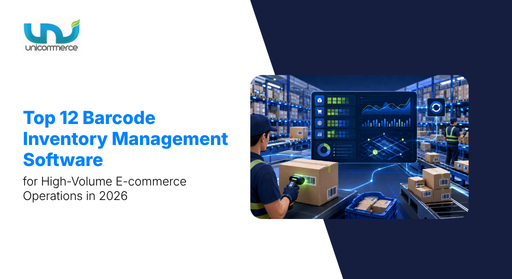
The best barcode inventory management software helps minimize errors by updating inventory whenever products are scanned during receiving, putaway, picking, packing, shipping, or transfers. It also provides better traceability across warehouse movements.
We have reviewed the 12 best barcode inventory management software options in 2026, comparing their features, integrations, pricing, and ideal use cases to make your warehouse operations more efficient and streamlined.
What features to check when buying barcode inventory management software?
The best barcode inventory software in India should do more than scan products. It should help high-volume brands manage complex inventory, identify the right variants, reduce picking errors, and maintain accurate stock across multiple marketplaces. Here are the key features to evaluate before choosing a barcode stock management software.
1. Does it support end-to-end inventory tracking?
Choose software that tracks inventory from the moment it enters the warehouse until it is shipped or returned. Barcode scanning should automatically capture details such as SKU, size, colour, location, and movement history. If you find a stock shortage, your team can check the inventory movement history to identify whether the issue occurred during receiving, putaway, picking, or returns. This creates a single source of truth for inventory and reduces the need for manual data entry.
2. Does it update inventory in real time across multiple warehouses and sales channels?
If you sell across multiple marketplaces, websites, or warehouses, real-time inventory updates are essential. The software should automatically sync stock whenever a barcode is scanned. This helps prevent overselling and keeps inventory accurate across sales channels. For instance, if a fashion brand sells the same product on Amazon and its website, a confirmed order should automatically reduce the available stock across connected channels. This gives warehouse teams a more accurate view of available inventory.
3. Can it help your team locate the right SKU and variant quickly?
If you manage multiple SKU variants with different bin and shelf locations, finding the right product can become difficult and may lead to wrong shipments. For instance, a warehouse with cosmetic products may have several foundation shades with similar packaging. The picker can scan the barcode to verify the correct variant and storage location before picking the product. This helps reduce picking errors and ensures the right product reaches the customer.
4. Can barcode scanning help reduce picking and packing errors?
The system should verify whether the scanned product matches the order before it moves to the next stage. For instance, if a customer orders a medium black T-shirt and the picker scans a large size, the system can flag the mismatch before dispatch. This helps reduce wrong shipments, returns, and customer complaints.
5. Can it help identify and resolve inventory mismatches quickly?
The software should make it easier to compare system stock with physical inventory. Barcode-based stock counts can help teams quickly identify discrepancies and update records accurately. For instance, if the system shows 250 units but the physical count shows 242, the team can scan the inventory to identify the difference and check the movement history. This helps resolve stock mismatches faster and maintain accurate inventory records.
With these features in mind, here are the 12 best barcode inventory management software in India in 2026 to help high-volume e-commerce brands improve inventory accuracy, reduce warehouse errors, and manage complex inventory more efficiently. Let’s get into it.
What are the top 12 barcode inventory management software in India in 2026?
1. Unicommerce
Unicommerce is a top-notch choice for barcode inventory management software. It is designed to streamline warehouse and inventory management for brands with complex inventory and high order volumes. Founded in 2012, Unicommerce is India’s largest e-commerce enablement SaaS platform. It manages 11,350+ warehouses and 900+ stores with 290+ integrations across marketplaces, e-commerce platforms, and other business systems.
Unicommerce has an annual transaction run rate of 115 Cr+ and supports 8,000+ clients. It also supports barcode printer models such as Zebra GC420T, Zebra GT820, and Zebra GT800. For traceability, Unicommerce offers three options: None, SKU-level, and item-level. You can choose the level of traceability based on your inventory and operational requirements.
With Unicommerce, you can scan, track, and manage inventory across different warehouse stages. This helps teams identify inventory discrepancies caused by theft, damage, or returns and maintain better inventory accuracy from a single panel.
Features of Barcode Inventory Software:
- Barcode-based inventory tracking: Track inventory movement, stock levels, and product locations using barcode scanning to reduce manual errors.
- Real-time inventory analysis: Process inventory data in real time to keep track of changing stock levels and movements.
- Automated cycle counting: Automate cycle counts and physical inventory verification to reduce manual effort and improve accuracy.
- Shelf-level inventory tracking: Locate products on specific shelves and verify physical inventory more efficiently.
- Inventory discrepancy tracking: Record and identify discrepancies related to damaged, returned, or missing inventory from a centralized dashboard.
- Custom barcode printing: Customize barcode printing and add relevant product information based on your operational requirements.
- End-to-end inventory visibility: Track inventory from warehouse storage through its movement and final destination from a single dashboard.
- Returns inventory tracking: Track and manage returned inventory as part of the overall inventory workflow.
- MRO inventory management: Scan, track, and manage maintenance, repair, and operational supplies used within the warehouse.
- Multi-warehouse inventory management: Manage inventory across multiple warehouses with centralized visibility.
Other informations:
- Website – https://unicommerce.com/
- Pricing and plans – https://unicommerce.com/plan/
- Best fit for – Best suited for e-commerce brands of all sizes, especially those with high order volumes and complex warehouse operations.
- Integration with: Zebra GC420T, Zebra GT820, and Zebra GT800
Reviews & Ratings:
Pros
- Better inventory accuracy: Users highlight accurate inventory data and reduced inventory errors with correct tracking right from the entry point till it leaves the warehouse.
- Easy cycle counting: Barcode software made cycle counting really easy because you don’t have to shut down the entire warehouse.
- Centralized inventory tracking: Orders, inventory, returns, and dispatches can be managed from one platform.
- Easy Return Management: When you have an entire tracking system in place, it becomes easy to check the status of every order. So, when you receive a returned order, simply fetch its details and place it exactly where it was.
- Multi-channel inventory sync: Reviews highlight smooth inventory syncing across multiple marketplaces.
- Inventory traceability: Users mention accurate order and inventory data along with better tracking.
Honest limitation:
- Learning curve: Some users found certain features complex initially and said they required time or training.
What results can brands expect from Unicommerce’s barcode inventory management software?
Brands like Homebox, Powerhouse91, and more have benefited from our barcode inventory management software in multiple ways. With better inventory accuracy and faster operations, they have achieved fulfillment rates of up to 100%. Let’s check out how one of our clients uses our barcode inventory system to improve inventory operations.
The challenge:
Powerhouse91 needed better SKU-level inventory visibility across multiple warehouses and sales channels. Manual picking, packing, and dispatch also increased the risk of inventory mismatches and fulfillment errors.
The solution:
Unicommerce centralized inventory with real-time stock updates and automated inventory blocking. Barcode-based workflows across picking, packing, inbound, outbound, and returns helped the team verify products and track inventory movement accurately.
The result:
Powerhouse91 now manages a 5+ million inventory count, achieves a 100% fulfillment rate, and has reduced SLA breaches by 89.88%.
2. Sortly
Sortly is an intuitive inventory software that comes with built-in barcode and QR code capabilities, making it simple to scan, track, and manage your stock. Since its launch in 2012, Sortly has steadily expanded its services, helping businesses across industries organize and monitor an ever-growing range of items. Its core mission is to simplify complex inventory tasks and turn them into well-structured, streamlined processes, so businesses can stay focused on growth and future opportunities.
With Sortly, you can easily scan barcodes and QR codes using any smartphone or tablet. The platform also allows you to generate and print barcode and QR code labels as needed. Whether using the app’s user-friendly mobile interface or integrating with third-party scanners, Sortly ensures hassle-free inventory tracking at your fingertips.
Key features
- QR code and barcode tracking: Track inventory using QR codes and barcode scanning for faster item identification.
- Custom tags and fields: Organize inventory with custom tags to make products easier to find and manage. Also, track unique product details based on your warehouse requirements.
- Multi-location inventory: Manage inventory across multiple warehouses and locations.
Other Informations:
- Website – https://www.sortly.com/barcode-inventory-system/
- Best fit for – Small businesses and mid-sized teams that need simple barcode-based inventory tracking.
Reviews & Ratings
- G2 – 4.3 (27)
Pros:
- Easy to use: Users find Sortly intuitive, user-friendly, and easy to implement.
- QR codes and custom tags: Users can organize and track inventory with QR codes and custom tags.
- Custom fields: Users can create custom fields to track unique product details.
- Mobile access: The mobile app makes it easy to manage and track inventory from different locations.
Cons
- Serial barcode scanning: One warehouse manager reported that scanning serial barcodes does not always translate correctly.
- Inventory counting: One reviewer reported limitations with conducting inventory checks.
- Duplicate inventory records: Users may see separate records for the same item when quantities are stored across different locations.
- Pricing: Some users feel the platform is expensive for the features offered, while reporting and custom fields require higher-tier plans.
3. Wasp Barcode Technologies
Wasp offers powerful, all-in-one solutions for barcode inventory and asset management, designed for use across desktops, tablets, and mobile devices. With a strong focus on helping businesses streamline inventory tracking, asset monitoring, inbound package handling, and timekeeping, Wasp provides the tools you need to stay organized and efficient. Whether you’re managing stock levels or locating individual items, Wasp’s customizable barcode stock management software makes it easy to keep everything under control, no matter the size of your operation.
Key features
- Lot and expiration tracking: Track inventory by lot and expiration date for better control over time-sensitive products.
- Min/max stock alerts: Set stock thresholds and receive alerts when inventory reaches defined levels.
- Custom reporting: Create reports to monitor inventory and operational data.
- Serial number tracking: Track individual items through serial numbers and monitor their movement.
- Multi-location inventory: Manage inventory across different warehouses and locations.
- Assembly tracking: Manage products that use multiple materials and track assembled kits.
Other informations:
- Website – https://www.waspbarcode.com/
- Best fit for – Small to mid-sized businesses, asset-intensive operations, manufacturing, and warehousing.
Reviews & ratings
- Gartner – 4.3/5 (25 ratings)
- G2 – 3.8 (44)
G2 reviews about Wasp Barcode Technologies:
Pros:
- Easy to use: Users find Wasp intuitive and easy to learn.
- Inventory tracking: Users can track large quantities of items and monitor incoming and outgoing materials.
- Serial number tracking: Serial number tracking helps teams follow individual items.
Cons:
- Reporting limitations: Users find the report builder complicated, and custom reports can take time to create.
- Barcode scanning issues: One user reported issues with adding or removing inventory through the barcode scanner.
- Dashboard complexity: Extensive customization can make dashboards harder to navigate.
4. Vyapar
Vyapar’s inventory and barcode software takes the hassle out of managing your stock. With barcode tracking items in real time, you can save time on manual updates and keep everything organized without extra effort. The built-in barcode scanner makes billing quicker and helps prevent errors at checkout, so your day-to-day operations run smoothly and efficiently.
Key features
- Barcode stock updates: Scan products and automatically update inventory to reduce manual entries.
- Mobile and external scanners: Use barcode scanners through mobile devices or external scanning hardware.
- Batch-wise inventory tracking: Track products by batch to maintain better inventory control.
- Accounting integration: Connect inventory data with billing and accounting workflows.
- Inventory reports: Monitor stock levels and inventory activity through detailed reports.
Other informations:
- Website – https://vyaparapp.in/free/inventory-management-software/barcode
- Best fit for – SMEs across retail, manufacturing, healthcare, automotive and multi-location operations.
Reviews & ratings
- Capterra – 4.3/5 (177 reviews)
Capterra reviews about Vyapar:
Pros:
- Custom barcode creation: Users can create custom barcodes to support their inventory and billing workflows.
- Easy inventory management: Users find it easy to manage billing, stock and daily business operations.
- Mobile and desktop access: Users can manage invoices, sales and stock from both mobile and desktop devices.
Cons:
- Barcode printing issues: One user reported persistent problems with barcode printing.
- Performance issues: Some users reported that the app hangs or becomes difficult to use during business hours.
- Limited scalability: One reviewer noted that businesses with growing requirements may need more features beyond basic billing and inventory management.
5. SKU Nexus
SKU Nexus is a barcode inventory and warehouse management software built for businesses that need real-time inventory visibility and automated fulfillment. It connects with existing ERP, accounting and e-commerce systems to keep inventory and order data aligned across operations.
The platform helps warehouse teams track orders and inventory in real time. It also supports automated fulfillment workflows such as pick sheets, shipping labels and warehouse allocation. This can help reduce manual work and give teams better control over inventory movement.
Key features
- Real-time inventory tracking: Monitor inventory levels and product movement with real-time visibility.
- Warehouse allocation: Route shipments through the most efficient warehouse based on location and cost.
- Automated fulfillment: Automate workflows such as pick sheets and customized shipping labels.
- Scalable inventory management: Support growing operations with flexible inventory and fulfillment workflows.
Other informations:
- Website – https://www.skunexus.com/
- Pricing and plans – https://www.skunexus.com/pricing
- Best fit for – Mid-sized to large enterprises with complex warehouse and fulfillment operations.
Reviews & ratings
- Capterra – 5/5 (1 review)
- G2 – 4/5 (1 review)
Capterra reviews about SKU Nexus:
Pros:
- Real-time order tracking: Users can track orders from shipment creation through delivery.
- Inventory visibility: Real-time inventory tracking helps reduce product loss and overcrowding.
- Automated fulfillment: Users can automate shipping workflows with customized labels and pick sheets.
Cons:
- Reporting needs improvement: A user mentioned that the company is working with SKU Nexus to build more robust reporting.
- Accuracy concerns: One review notes that the expected efficiency and accuracy do not always meet expectations.
6. Inflow Inventory
InFlow Inventory is a barcode inventory management software designed to help businesses manage stock, sales and order fulfillment from one platform. It supports barcode scanning, custom labels and mobile inventory management, which can help warehouse teams reduce manual work and improve inventory accuracy.
For businesses that need better control over receiving and picking, InFlow lets teams scan products as inventory arrives and during order fulfillment. It also supports real-time inventory updates, sublocations and batch tracking, which can help teams locate and manage stock more efficiently.
Key features
- Mobile barcode scanning: Scan products through mobile devices to receive, update and pick inventory.
- Custom barcode labels: Create barcode labels using ready-to-use templates for different products and workflows.
- Inventory receiving: Quickly receive and adjust stock when products arrive at the warehouse.
- Barcode-based picking: Scan products during order picking to improve fulfillment accuracy.
- Batch and sublocation tracking: Track batches and use sublocations to organize inventory within the warehouse.
Other informations:
- Website – https://www.inflowinventory.com/
- Pricing and plans – https://www.inflowinventory.com/software-pricing
- Best fit for – Small businesses across wholesale, e-commerce, manufacturing and distribution.
Reviews & ratings
- Capterra – 4.6/5 (455 reviews)
Capterra reviews about Inflow Inventory:
Pros:
- Easy inventory management: Users find InFlow clear, organized and easy to use for daily inventory tasks.
- Real-time inventory updates: Users appreciate real-time inventory updates for tracking stock and managing parts.
- Barcode-based order fulfillment: Users can use barcode scans to pick and fulfill orders accurately.
Cons:
- Limited mobile functionality: Users feel the mobile app could offer more features and flexibility.
- Limited reporting customization: Custom reporting options can feel restricted for users with more specific reporting needs.
- Integration limitations: Users have requested deeper integrations with platforms such as ShipStation, WooCommerce and CRM systems.
7. Zoho Inventory
Zoho Inventory is a barcode inventory tracking system that helps businesses track stock, orders and shipments from one platform. Its barcode capabilities support faster stock updates and product identification, while serial and batch tracking help teams maintain better product traceability.
For brands managing different product variants or expiry-sensitive inventory, Zoho Inventory can track items through serial and batch numbers. It also connects with other Zoho products and platforms such as Shopify, which can help keep inventory and order data connected across business operations.
Key features
- Barcode inventory tracking: Scan products to update and manage inventory with less manual work.
- Serial number tracking: Track individual products for better visibility and traceability.
- Batch tracking: Track inventory by batch and monitor expiry dates for better stock control.
- Automated stock updates: Automate inventory updates to reduce manual stock reconciliation.
- Multi-channel integrations: Connect inventory with platforms such as Shopify, Zoho Books and Zoho CRM.
Other informations:
- Website – https://www.zoho.com/in/inventory/barcode-software-small-businesses/
- Pricing and plans – https://www.zoho.com/in/inventory/pricing/
- Best fit for – Small to mid-sized e-commerce brands that need barcode-based inventory tracking across multiple sales channels and warehouses
Reviews & ratings
- Capterra – 4.5/5 (411 reviews)
Capterra reviews about Zoho Inventory:
Pros:
- Centralized inventory management: Users appreciate having inventory, orders and shipments managed from one platform.
- Strong integrations: Users find integrations with Shopify, Zoho Books, Zoho CRM and other systems useful.
- Inventory automation: Users appreciate automated stock updates and order processing that reduce manual work.
Cons:
- Learning curve: Some users find the setup and advanced features more technical than expected.
- Limited advanced features: Users report that some advanced inventory and reporting capabilities may not match larger enterprise solutions.
- Reporting limitations: Some users find custom reporting requires additional effort.
8. RFGen
RFgen is a mobile barcoding stock management system that helps businesses manage inventory, warehouse, and supply chain operations. It works with existing ERP systems and supports barcode scanners, tablets, handheld devices, and mobile phones. The software helps teams capture inventory data faster, maintain real-time stock visibility, and improve warehouse operations.
Key features
- Mobile barcode scanning: Capture inventory data using barcode scanners, handheld devices, tablets and mobile phones.
- Real-time inventory tracking: Get instant stock updates as products move through warehouse operations.
- ERP integration: Connect barcode-based inventory processes with ERP systems such as SAP and Oracle.
- Mobile inventory control: Give warehouse teams access to inventory data directly through supported mobile devices.
Other informations:
- Website – https://www.rfgen.com/
- Best fit for – Mid-sized to large businesses that need mobile barcode tracking and ERP-integrated inventory management.
Reviews & ratings
- Gartner – 4.5/5 (2 ratings)
- G2 – 4.6/5 (15)
Pros:
- Easy integration: Users appreciate RFgen’s ability to integrate with existing ERP and other business systems.
- Easy to use: Reviewers find the application intuitive and easy for warehouse teams to use.
- Flexible device support: Users like that RFgen works across tablets, mobile phones and handheld devices.
Cons:
- Setup complexity: Some users find the initial setup and application design difficult.
- Scanner configuration: Barcode scanners may miss entries when they are not configured correctly.
- Label printing: One reviewer found the setup process for printing labels difficult.
9. Fishbowl Inventory
Fishbowl Inventory is the best barcode inventory software that helps businesses manage warehouse, manufacturing, and order operations from one platform. It supports barcode scanning, multi-location inventory tracking, and automated reordering to help teams manage stock more efficiently. It also integrates with platforms such as QuickBooks, Shopify, Amazon, eBay, BigCommerce, and ShipStation, which helps connect inventory with sales and fulfillment workflows.
Key features
- Barcode scanning: Scan products to manage inventory and speed up warehouse processes.
- Multi-location inventory: Track and manage inventory across multiple warehouse locations.
- Automated reordering: Set up reorder processes to maintain stock levels and reduce the risk of running out of inventory.
- Manufacturing management: Manage bills of materials, work orders, and manufacturing processes from one platform.
- E-commerce integrations: Connect inventory with platforms such as Shopify, Amazon, eBay, BigCommerce, and ShipStation.
Other informations:
- Website – https://www.fishbowlinventory.com/
- Pricing and plans – https://www.fishbowlinventory.com/pricing
- Best fit for – Small and mid-market businesses in manufacturing, wholesale, distribution, and retail.
Reviews & ratings
- Capterra – 4.2/5 (1,047 reviews)
Capterra reviews about Fishbowl Inventory:
Pros:
- Easy to use: Users find Fishbowl intuitive and easy to learn for day-to-day inventory operations.
- Multi-location tracking: Users appreciate its ability to track inventory across different locations.
- Wide range of integrations: Users find integrations with QuickBooks, e-commerce platforms, and shipping solutions useful for connecting business operations.
Cons:
- Reporting limitations: Users find the custom reporting options somewhat limited.
- Complex processes: Some users find processes such as returns cumbersome and repetitive.
- Pricing: Some users may find the pricing structure expensive or complex for their business needs.
10. HandiFox Desktop
HandiFox Desktop is a barcode software for inventory management that supports barcode scanning and real-time stock tracking. It works with barcode scanners and mobile devices, helping teams manage inventory, sales orders, picking, packing, and shipping. It also integrates with QuickBooks, which helps keep inventory and accounting data connected.
Key features
- Mobile barcode scanning: Scan products in and out using mobile devices for faster inventory updates.
- Real-time inventory tracking: Track stock levels and inventory movements across warehouse operations.
- QuickBooks integration: Sync inventory and sales data with QuickBooks to keep records updated.
- Order management: Manage sales orders, picking, packing, and shipping from connected devices.
- Barcode scanner support: Work with different barcode scanners and printers based on business requirements.
Other informations:
- Website – https://www.handifox.com/
- Pricing and plans – https://www.handifox.com/pricing
- Best fit for – Growing small and mid-market businesses that need mobile barcode scanning and QuickBooks-integrated inventory management.
Reviews & ratings
- Capterra – 4.7/5 (59 reviews)
Capterra reviews about HandiFox Desktop:
Pros:
- Mobile barcode scanning: Users appreciate the ability to scan products in and out using mobile devices.
- Easy to use: Users find HandiFox simple to learn and convenient for daily inventory operations.
- QuickBooks integration: Users value the quick syncing of inventory and sales data with QuickBooks.
Cons:
- Syncing issues: Some users report occasional syncing problems, although these may be related to internal connectivity.
- Training and support: Some users want more training resources and guidance on scanners and advanced features.
- Customization cost: Users feel that some customization options could be more affordable.
11. LABEL MATRIX
LABEL MATRIX is a barcode and label design software that helps businesses create and print labels for different operational needs. It supports templates, batch printing, and database-driven label printing, which can help businesses manage high-volume labeling with less manual work. It is also useful for distribution, retail, consumer goods, and other businesses that need consistent barcode labels.
Key features
- Batch label printing: Print multiple labels together to save time during high-volume operations.
- Custom label templates: Create and reuse label designs based on business and product requirements.
- Database-driven printing: Connect label printing with databases to automate label generation.
- Barcode label design: Create barcode labels for products, inventory, and operational requirements.
Other informations:
- Website – https://www.teklynx.com/en/products/label-design-solutions/label-matrix
- Best fit for – Small to mid-sized businesses that need barcode label design and high-volume label printing.
Reviews & ratings
- Capterra – 4.5/5 (42 reviews)
Capterra reviews about LABEL MATRIX:
Pros:
- Easy to use: Users find label creation and printing simple to set up and manage.
- Batch printing: Users appreciate the ability to create batch print jobs for high-volume labeling.
- Templates and customization: Users like the flexibility to create templates and customize barcode labels.
Cons:
- License management: Users report challenges with license activation and transferring the software to new devices.
- Learning curve: Some users find the printing workflow takes time to learn.
- Limited open tabs: One reviewer noted a limitation on the number of label designs that can remain open at the same time.
12. SOS Inventory
SOS Inventory is an inventory software with barcode scanner that helps businesses track stock, manage orders and connect inventory data with QuickBooks. Its barcode capabilities support faster data capture and help teams access product details such as quantity, size, colour and expiry dates. It also provides real-time inventory access across desktop, mobile and tablet devices, making it easier to manage stock from different locations.
Key features
- Barcode scanning and printing: Scan and print barcodes to capture inventory data with less manual work.
- Real-time inventory tracking: Monitor stock levels and access inventory information from anywhere.
- QuickBooks integration: Connect inventory, sales and purchase data with QuickBooks.
- Product detail tracking: Track information such as quantity, size, colour, materials and expiry dates.
- Order management: Create and manage purchase orders and sales orders from one platform.
Other informations:
- Website – https://www.sosinventory.com/
- Best fit for – Small to mid-sized businesses that need inventory management with QuickBooks integration and barcode tracking.
Reviews & ratings
- G2 – 3.8/5 (13 reviews)
G2 reviews about SOS Inventory:
Pros:
- Easy to use: Users find the software simple to set up and use for daily inventory and order management.
- QuickBooks integration: Users appreciate the reliable integration with QuickBooks for managing inventory and financial data.
- Real-time accessibility: Users like being able to access inventory and stock levels from anywhere.
Cons:
- Inventory tracking can be confusing: Some users find inventory tracking tedious and difficult to manage.
- Limited customization: Users would like more flexible and customizable fields.
- Integration limitations: Some users find integrations less smooth compared to larger inventory and ERP solutions.
These 12 barcode systems for inventory differ in their features, integrations, pricing, and ideal business size. The comparison table below brings these details together to help you quickly evaluate which inventory management software with barcode scanner fits your warehouse requirements.
Which barcode inventory systems are best for businesses in India in 2026? A quick comparison at a glance
| Software | Best For | Barcode Scanning | Real-Time Tracking | Multi-Warehouse | Label Printing | Batch/Serial Tracking | Integrations | Rating |
|---|---|---|---|---|---|---|---|---|
| Unicommerce | High-volume e-commerce brands with complex warehouse operations | ✓ | ✓ | ✓ | ✓ | ✓ | 290+ integrations, including Zebra printers | 4.5/5 G2 |
| Sortly | Small businesses and mid-sized teams | ✓ | ✓ | ✓ | ✓ | — | Third-party scanners | 4.3/5 G2 |
| Wasp Barcode Technologies | SMEs, manufacturing, warehousing, and asset-intensive businesses | ✓ | ✓ | ✓ | ✓ | ✓ | — | 3.8/5 G2 |
| Vyapar | SMEs across retail, manufacturing, healthcare, and automotive | ✓ | ✓ | ✓ | ✓ | Batch tracking | Accounting integrations | 4.3/5 Capterra |
| SKU Nexus | Mid-sized to large enterprises with complex fulfillment operations | ✓ | ✓ | ✓ | ✓ | — | ERP, accounting, and e-commerce systems | 4/5 G2 |
| InFlow Inventory | Small businesses in wholesale, e-commerce, manufacturing, and distribution | ✓ | ✓ | ✓ | ✓ | ✓ | ShipStation, WooCommerce, CRM integrations | 4.6/5 Capterra |
| Zoho Inventory | Small to mid-sized e-commerce brands | ✓ | ✓ | ✓ | ✓ | ✓ | Shopify, Zoho Books, Zoho CRM | 4.5/5 Capterra |
| RFGen | Mid-sized to large businesses with ERP-integrated inventory operations | ✓ | ✓ | — | ✓ | — | SAP, Oracle, and other ERP systems | 4.6/5 G2 |
| Fishbowl Inventory | Small and mid-market manufacturing, wholesale, distribution, and retail businesses | ✓ | ✓ | ✓ | ✓ | — | QuickBooks, Shopify, Amazon, eBay, BigCommerce, ShipStation | 4.2/5 Capterra |
| HandiFox Desktop | Growing small and mid-market businesses | ✓ | ✓ | — | ✓ | — | QuickBooks | 4.7/5 Capterra |
| LABEL MATRIX | Businesses needing barcode label design and high-volume printing | ✓ | — | — | ✓ | — | Database integrations | 4.5/5 Capterra |
| SOS Inventory | Small to mid-sized businesses using QuickBooks | ✓ | ✓ | — | ✓ | ✓ | QuickBooks | 3.8/5 G2 |
A quick comparison can help narrow down your options, but the right choice depends on your warehouse requirements. Look for a barcode system for inventory that can handle your SKU volume, support multiple warehouses, and keep inventory accurate across every stage of fulfillment.
Conclusion
Managing inventory without barcodes becomes difficult when you are processing 10K+ orders every month and handling multiple SKUs across warehouses. Multiple variants, bundles, shades, sizes, expiry-sensitive lots, and marketplace inventory can make it harder to identify the right product and maintain accurate stock.
The right barcode inventory management software can help your warehouse team scan and verify products, track inventory movements, and maintain better visibility across locations and sales channels. It can also reduce picking errors, inventory mismatches, and manual work. Looking to improve inventory accuracy across your warehouses? Explore Unicommerce’s barcode inventory management solution today.
FAQs:
1. Which barcode inventory software supports batch, serial number, and SKU-level tracking?
Several barcode inventory management platforms support batch, serial number, and SKU-level tracking, but the right choice depends on your business requirements.
- Unicommerce: Supports SKU-level tracking and inventory traceability across warehouse operations. It also provides flexible traceability options based on business requirements.
- Wasp Barcode Technologies: Supports lot, expiration date, and serial number tracking for better inventory traceability.
- InFlow Inventory: Supports batch tracking and sublocation tracking along with barcode-based inventory management.
- Zoho Inventory: Supports serial number and batch tracking, including expiry date tracking.
- SOS Inventory: Supports product-level details such as quantity, size, colour, and expiry dates.
2. How do I choose the right barcode inventory software for my business?
Evaluate barcode inventory software based on your operational requirements, integration needs, and future scalability. Unicommerce is a strong choice for businesses managing multiple warehouses and sales channels, while Zoho Inventory is well suited for growing SMBs.
When comparing software, consider:
- Integration capabilities: Ensure it connects with your ERP, POS, accounting software, and eCommerce platforms.
- Hardware compatibility: Verify support for your barcode scanners, mobile devices, and label printers.
- Inventory management features: Look for real-time inventory updates, batch tracking, serial number tracking, and multi-warehouse support.
- Scalability: Choose software that can handle increasing SKU volumes, users, and order volumes as your business grows.
Selecting software that aligns with your current operations and long-term growth plans will help improve inventory accuracy and operational efficiency.
3. Which barcode inventory software integrates well with popular e-commerce platforms like Amazon and Shopify?
Several barcode inventory management solutions integrate with Amazon, Shopify, and other eCommerce platforms to automate inventory updates and order fulfillment.
- Unicommerce: Designed for omnichannel businesses, it integrates with leading marketplaces, webstores, ERP systems, and logistics partners while enabling barcode-based inventory tracking, picking, packing, and warehouse management from a single platform.
- Zoho Inventory: A cloud-based solution with built-in integrations for Shopify, Amazon, and other online sales channels.
- Cin7: Suitable for businesses managing high-volume, multi-channel inventory with advanced automation.
- inFlow Inventory: Offers barcode-enabled inventory management with integrations for popular eCommerce platforms.
4. Can handheld barcode scanners replace mobile phone scanning for warehouse inventory control?
Yes. Several barcode inventory platforms support both handheld scanners and mobile devices. RFGen supports barcode scanners, handheld devices, tablets, and mobile phones. InFlow Inventory and HandiFox Desktop also support mobile barcode scanning for receiving, inventory updates, picking, packing, and shipping. Vyapar supports both mobile devices and external scanning hardware.
5. How do I choose barcode software that integrates with my billing or inventory system?
The right way to choose barcode software that integrates with your billing or inventory system is to evaluate how well it fits your existing workflows, hardware, and future business needs. A well-integrated solution reduces manual data entry, keeps inventory accurate, and automates stock updates.
When comparing barcode software, evaluate whether it:
- Integrates with your system: Supports native integration, APIs, or Excel/CSV imports with your billing or inventory software.
- Supports the required barcode formats: Generates and scans formats such as Code 128, EAN, and QR codes.
- Works with your hardware: Is compatible with your existing barcode printers and scanners.
- Meets industry requirements: Supports batch numbers, serial numbers, MRP, and expiry date tracking where applicable.
- Synchronizes data in real time: Automatically updates inventory and billing records after every scan.
- Can scale with your business: Handles growing SKU volumes, multiple warehouses, and increasing order volumes without disrupting operations.
Evaluating these factors helps you choose barcode software that integrates smoothly with your existing systems while supporting long-term business growth.
6. What are the best practices to set up an efficient barcode inventory scanner workflow?
The best practices to set up an efficient barcode inventory scanner workflow across the key stages are
- Receiving: Scan products when they arrive to update inventory accurately.
- Putaway: Scan products and storage locations to track where inventory is placed.
- Picking: Scan the product to verify the right SKU before picking.
- Packing: Scan the product again to confirm it matches the order before dispatch.
- Shipping: Scan products before dispatch to maintain accurate movement records.
- Stock transfers: Scan products when moving inventory between warehouses or locations.
- Inventory counting: Use barcode scanning during stock counts to identify inventory mismatches faster.
7. Which barcode inventory software integrates well with popular e-commerce platforms like Amazon and Shopify?
Some barcode inventory software that integrates with popular e-commerce platforms like Amazon and Shopify includes:
- Unicommerce: It supports barcode-based warehouse operations and connects inventory with multiple e-commerce channels.
- Zoho Inventory: It offers barcode scanning with integrations for e-commerce and sales channels.
- Cin7: Combines barcode inventory management with multi-channel e-commerce operations.
- Linnworks: Supports barcode-based inventory workflows across multiple marketplaces.
- inFlow Inventory: Provides barcode scanning and inventory tracking for growing businesses.