
Want to sell products on Zepto? This guide explains the complete Zepto seller registration process, including eligibility, required documents, seller registration fees, onboarding, product listing, Seller Hub access, and inventory management.
Zepto’s rapid growth has made it an important channel for FMCG brands, D2C businesses, manufacturers, and distributors. According to its FY2025–26 figures, Zepto’s revenue more than doubled from ₹11,110 crore to ₹22,624 crore, while its order volume reached approximately 640 million orders. The company also expanded its network to around 1,139 dark stores and generated ₹1,636 crore in advertising revenue.
However, Zepto’s quick-commerce model continues to depend on efficient inventory, fulfilment, and replenishment operations. In FY26, delivery and storage costs accounted for approximately 23% of revenue, while the company reported a loss of around ₹5,905 crore. This highlights why sellers need accurate product listings, reliable stock availability, efficient replenishment, and strong margin planning when selling on Zepto.
Whether you are exploring Zepto vendor registration for the first time or planning to expand across multiple locations, this guide will help you understand how to sell products on Zepto, complete the onboarding process, list your products, and manage day-to-day operations effectively.
What Is Zepto?
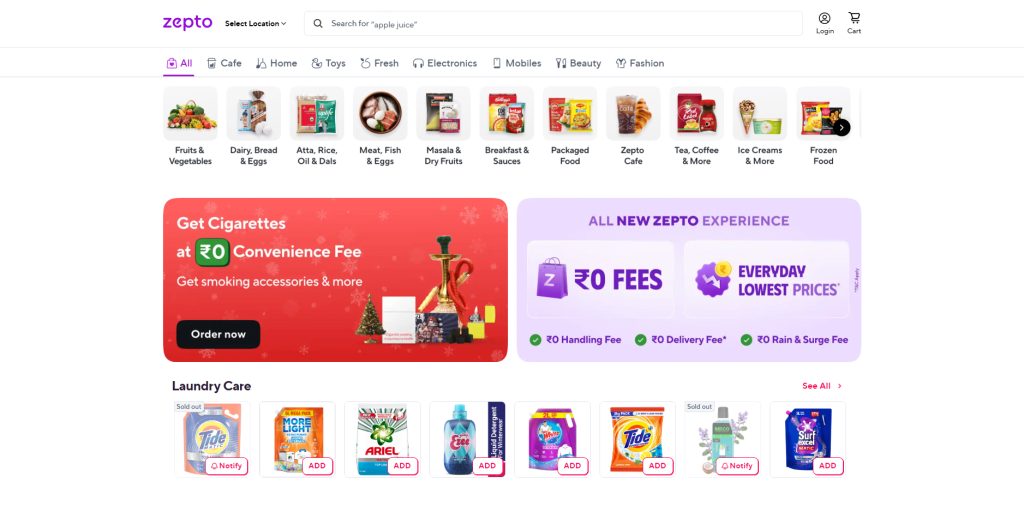
Zepto is an Indian quick commerce (q-commerce) platform that delivers groceries and daily-use essentials to customers in as little as 10 minutes. It operates through a network of hyperlocal dark stores, small, strategically located warehouses near residential areas, enabling ultra-fast order picking, packing, and last-mile delivery.
Founded in 2021, Zepto is built for urban consumers who prioritize speed and convenience. The platform focuses on high-frequency categories such as groceries, fruits and vegetables, dairy products, snacks, personal care items, and household essentials. Unlike traditional ecommerce platforms that rely on large centralized warehouses, Zepto places inventory closer to customers, allowing near-instant fulfillment.
From a seller’s perspective, Zepto follows a B2B2C supply model. Brands, manufacturers, and distributors supply inventory to Zepto’s dark stores. When a customer places an order through the app, the nearest dark store fulfills it, and a Zepto delivery partner completes the delivery within minutes.
Powered by technology-driven operations, real-time demand forecasting, and localized inventory management, Zepto has become one of the fastest-growing quick commerce platforms in India. For sellers exploring how to sell on Zepto, this means higher order frequency, faster inventory turnover, and access to high-intent customers who value immediate delivery over traditional shopping.
Why Selling on Zepto is a Smart Move in 2026
Selling on Zepto in 2026 provides a significant growth opportunity for D2C brands, FMCG suppliers, and distributors. India’s quick commerce market is projected to surpass $9 billion by 2028, driven by urban customers who want groceries, daily essentials, and personal care products delivered instantly.
Zepto focuses on high-demand, frequently purchased categories, including:
- Groceries and staples
- Dairy and bakery products
- Snacks and beverages
- Personal care and hygiene items
- Household essentials
This high-frequency demand ensures faster inventory turnover, predictable sales patterns, and repeat purchases, helping sellers maintain steady revenue and growth.
A major advantage for sellers is that Zepto manages the entire last-mile delivery from order picking and packing to rider allocation and customer experience. Sellers don’t need to build their own delivery infrastructure, which reduces operational costs and simplifies logistics.
By selling on Zepto, businesses gain:
- Rapid stock movement across multiple dark stores
- Consistent order flow from high-intent urban customers
- A scalable sales channel built for speed and convenience
In a market where delivery speed drives purchase decisions, Zepto allows sellers to maximize reach, improve inventory efficiency, and capitalize on India’s booming quick commerce ecosystem.
Who Can Sell on Zepto?
Zepto follows a B2B2C supplier model, which means sellers supply inventory directly to the Zepto system and dark stores instead of shipping individual customer orders themselves.
You can sell on Zepto if you fall into any of the following categories:
- FMCG brands and manufacturers supply fast-moving consumer goods.
- D2C brands offering food, wellness, personal care, or home essential products.
- Grocery distributors and wholesalers with consistent supply capabilities.
- Dairy, bakery, frozen food, and fresh produce suppliers meeting quality and safety standards.
- Pet care, baby care, and health product brands selling daily-use essentials.
To sell on Zepto, businesses must be legally registered and capable of maintaining reliable inventory levels to meet high-frequency demand. This model is best suited for sellers who can support rapid replenishment and comply with Zepto’s operational and quality requirements.
Products You Can Sell on Zepto
Zepto allows sellers to list fast-moving, daily-use products that can be delivered quickly through its hyperlocal dark store network.
1. Approved Product Categories on Zepto:
You can sell on Zepto if your products fall under the following categories:
- Groceries such as rice, atta, pulses, cooking oils, and staples
- Fresh fruits and vegetables
- Dairy and bakery products, including milk, bread, eggs, and packaged bakery items
- Snacks and beverages like chips, biscuits, soft drinks, tea, and coffee
- Personal care and hygiene products such as soaps, shampoos, and skincare items
- Baby care and pet care products
- Frozen foods and ice creams
- OTC health and wellness products, subject to compliance
These categories perform well on Zepto due to high repeat purchase frequency and strong urban demand.
2. Products Not Allowed on Zepto:
Zepto does not permit the sale of certain items to ensure legal compliance and customer safety. These include:
- Alcohol, tobacco, and illegal products
- Misleading, counterfeit, or falsely advertised items
- Unbranded or unauthorized goods
- Adult or restricted products
All listed products must comply with Zepto’s quality standards, regulatory requirements, and category-specific guidelines.
How to List Products on Zepto
After completing Zepto vendor registration and the initial onboarding process, sellers can submit their product catalogue for review. The Zepto product listing should contain complete, accurate, and up-to-date information to support catalogue approval and product activation.
Information Required for Zepto Product Listing
Depending on the product category, sellers may need to provide:
- Product name and brand name
- Product category and subcategory
- SKU, variant, and pack size
- MRP and selling price
- GST rate
- Barcode or GTIN
- High-quality product images
- Product description and key specifications
- Product weight and dimensions
- Ingredients and nutritional information, where applicable
- Batch, expiry date, and shelf-life details
- FSSAI licence or other category-specific documents
- Brand authorisation documents, where applicable
How to List Products on Zepto
The process for listing products on Zepto may generally include the following steps:
- Complete Zepto seller registration and business verification.
- Prepare the product catalogue with accurate SKU-level information.
- Add product names, categories, pack sizes, prices, MRP, barcodes, and images.
- Submit the catalogue and required compliance documents to Zepto.
- Respond to any corrections or additional information requested during catalogue review.
- Complete SKU mapping and location allocation, where applicable.
- Confirm product approval, activation, and inventory availability.
To reduce product listing delays, ensure that product information matches the packaging, images clearly show the product, prices are accurate, and all applicable licences and brand-authorisation documents are available.
What Is Zepto Seller Hub?
Zepto Seller Hub is the seller-facing platform or account interface used by approved brands, vendors, and suppliers to manage their Zepto business. Access is generally provided after Zepto reviews and approves the seller’s application and completes the onboarding process. Depending on the seller’s account type and commercial arrangement, the platform may provide access to information such as:
- Product catalogue and SKU details
- Inventory or replenishment status
- Orders and fulfilment updates
- Sales performance and store-wise demand
- Settlements and payment information
- Promotions, campaigns, or account-related updates
The exact features available may differ by seller category, location, fulfilment model, and agreement with Zepto. Sellers should confirm the available tools directly with Zepto during onboarding.
Zepto Seller Registration: Documents Required
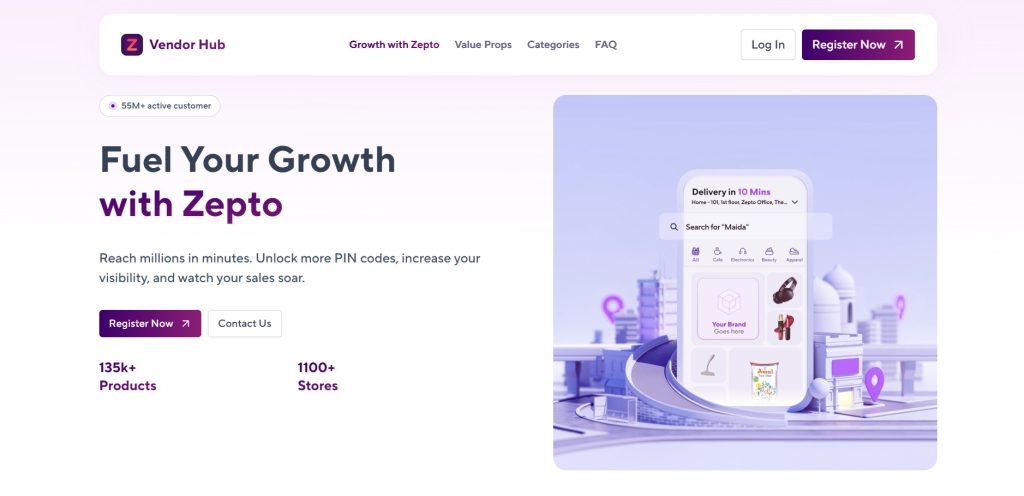
Before you begin your Zepto seller registration, ensure you have all the necessary documents ready. Proper documentation helps speed up verification and approval on Zepto’s platform.
1. Mandatory Documents:
All sellers must provide the following:
- GST Certificate: Required for most product categories
- PAN Card: Business or proprietor PAN for legal identification
- Bank Account Details: Including a cancelled cheque for payouts
- Business Registration Proof: Proprietorship, LLP, or Private Limited registration certificate
- Address Proof: Warehouse or store address
2. Category-Specific Documents:
Depending on your product type, you may also need:
- FSSAI License: Mandatory for selling food, groceries, or edible items
- Brand Authorization / Trademark Certificate: Required if selling branded or licensed products
- Product Catalogue with Images: High-quality images, product descriptions, and specifications for listing
Having all these documents ready ensures a smooth onboarding process and quick activation of your Zepto seller account.
Before How to sell on Zepto
Unicommerce does not assist with Zepto seller registration, account setup, catalog approval, or onboarding. These activities are handled directly by Zepto through its seller registration process.
Once your business is live on Zepto, Unicommerce helps automate inventory management, order processing, warehouse operations, and multi-channel selling to support business growth at scale. Unicommerce provides software solutions inventory management, order processing, warehouse operations, and multi-channel selling to support business growth at scale.
How to Sell on Zepto in 2026: Step-by-Step Process
Selling on Zepto in 2026 is straightforward if you follow the platform’s structured onboarding and listing process. Here’s a step-by-step guide:
Step 1: Apply on the Zepto Partner Portal
- Visit Zepto’s official seller or partner registration page.
- Submit your interest form with:
- Business details (type, registration, turnover)
- Product categories you wish to sell
- Contact information (email, phone number)
Step 2: Application Review & Shortlisting
Zepto evaluates your application based on:
- Product demand and category fit
- Supply capacity and reliability
- Location feasibility for quick delivery
If your business meets Zepto requirements, you’ll be contacted for onboarding.
Step 3: Upload Documents & Sign Agreement
- Submit all mandatory and category-specific documents digitally.
- Sign the Zepto seller agreement to formalize your partnership.
Step 4: Product Listing & Catalogue Setup
Once approved:
- Upload product names, images, pricing, and MRP
- Assign SKUs and pack sizes
- Map inventory to Zepto’s dark stores or fulfillment centers
Step 5: Inventory Placement & Go Live
- Stock your products at Zepto dark stores or your warehouse for scheduled replenishment.
- After listing approval, your products go live, and you officially start selling on Zepto.
Following this process ensures a smooth onboarding, accurate inventory management, and faster access to Zepto’s urban customer base.
How Zepto Delivery & Fulfillment Works
Zepto operates a dark store led fulfillment model, enabling ultra-fast deliveries for groceries, FMCG, and daily essentials. Sellers can choose from two main fulfillment options:
1. Zepto-Fulfilled (ZF)
- Zepto stores, picks, packs, and delivers your products directly to customers.
- Ensures faster delivery and higher product visibility on the app.
- Includes storage, handling, and last-mile delivery fees, which are managed by Zepto.
- Ideal for sellers who want to leverage Zepto’s logistics and delivery network without managing operations.
2. Seller-Supplied Replenishment
- Sellers replenish Zepto dark stores with inventory based on forecasted demand.
- Requires accurate inventory planning and demand forecasting to avoid stockouts.
- Gives sellers more control over stock placement and supply chain operations.
- Suitable for brands or distributors with existing warehouses and logistics capabilities.
By using these fulfillment options, sellers can ensure rapid order fulfillment, higher customer satisfaction, and better inventory turnover, making Zepto an efficient platform for quick commerce sales.
Zepto Commission, Fees and Seller Registration Charges
The Zepto seller registration fee, commission rates, and other charges may vary depending on the seller type, product category, location, fulfilment model, and commercial agreement. Sellers may need to consider costs such as commission on sales, storage, handling, packaging, promotions, returns, damages, expiry, and inventory replenishment.
Before completing Zepto vendor registration, request the latest fee structure directly from Zepto and calculate the expected profit after commission, discounts, taxes, logistics, storage, and other applicable expenses. Zepto’s registration fee and commercial terms may change, so sellers should verify the current details with Zepto’s official partner or seller team.
How to Sell Products on Zepto Successfully: Best Practices
Selling successfully on Zepto requires a strategic approach tailored for quick commerce. Follow these best practices to maximize sales, visibility, and customer satisfaction:
1. Focus on Fast-Moving SKUs:
Quick commerce thrives on high-demand, repeat-purchase products. Prioritize:
- Daily essentials like groceries, dairy, and personal care items
- Small pack sizes suitable for instant delivery
- High-repeat products that encourage frequent orders
2. Maintain Real-Time Inventory Accuracy:
Stockouts can reduce your product visibility and app ranking. Use automated inventory syncing to ensure your listings reflect actual stock at all times.
3. Optimize Pricing for Quick Commerce:
In quick commerce, slightly lower margins combined with higher order volume often lead to better overall profitability. Monitor competitors’ pricing and adjust dynamically.
4. Ensure Packaging & Compliance:
Correct packaging and regulatory compliance are crucial:
- Include expiry dates, batch numbers, and barcodes
- Follow labeling and safety guidelines for food, pharma, and FMCG items
- Well-packed products reduce returns and improve customer trust
5. Use Promotions Strategically:
Leverage Zepto’s promotional tools to boost sales:
- Participate in in-app campaigns and deals
- Create product bundles to increase average order value
- Opt for visibility boosts or featured listings to attract more customers
By implementing these practices, sellers can maximize sales, reduce operational risks, and gain a competitive edge on Zepto’s fast-paced quick commerce platform.
Common Challenges When Selling on Zepto and Their Solutions
| Common Challenge | Solution / Best Practice |
| Inventory mismatch | Use real-time inventory management systems to prevent stockouts and maintain visibility. |
| Expiry & wastage | Implement FIFO (First-In-First-Out) and batch tracking to minimize product spoilage. |
| Replenishment delays | Utilize regional warehousing and optimize supply planning to ensure timely stock replenishment. |
| Margin pressure | Apply smarter forecasting and dynamic pricing to protect profitability while remaining competitive. |
| Scale limitations | Expand reach with multi-city fulfillment and leverage Zepto’s dark store network to handle growth efficiently. |
How Unicommerce Helps You Scale on Zepto
Zepto is integrated with Unicommerce, enabling sellers to operate at a quick-commerce scale with speed and precision. Unicommerce provides a robust solution for sellers to manage operations efficiently and meet Zepto’s strict quick commerce SLAs.
Key Ways Unicommerce Supports Zepto Sellers:
Centralized Inventory Management: Manage stock across multiple warehouses and Zepto dark stores from a single platform.
1. Real-Time Stock Sync: Prevent stockouts and overselling by automatically updating inventory across all channels.
2. Batch & Expiry Tracking: Ensure compliance for FMCG and food products with automated batch, lot, and expiry tracking.
3. Purchase Order & Replenishment Automation: Streamline ordering and replenishment processes for faster inventory turnaround.
4. Multi-Location Fulfillment Visibility: Monitor stock movement and fulfillment performance across cities and dark stores.
5. Analytics & Demand Forecasting: Make data-driven decisions using insights on product demand, sales trends, and inventory requirements.
With Unicommerce, Zepto sellers gain end-to-end control over their operations, improve order fulfillment speed, reduce wastage, and scale efficiently in India’s growing quick commerce market.
How to Sell on Zepto Without a Physical Store?
Selling on Zepto does not require a physical storefront. Many D2C brands, manufacturers, cloud kitchens, and subscription-based businesses successfully sell through Zepto using digital operations and warehouse fulfillment.
Who Can Sell Without a Store?
- D2C brands selling food, wellness, or personal care products
- Manufacturers supplying FMCG or household essentials
- Cloud kitchens offering ready-to-eat meals
- Subscription brands delivering curated products or kits
How to Operate Without a Store?
- Use a warehouse or fulfillment partner to manage inventory efficiently.
- Replenish Zepto dark stores directly to ensure fast, on-demand delivery.
- Manage operations digitally through the Zepto Seller Hub and Order Management System (OMS) for real-time inventory, order tracking, and reporting.
By leveraging warehouses, fulfillment partners, and Zepto’s Seller Hub, businesses can sell products at scale, maintain inventory control, and meet the platform’s quick commerce SLAs all without a physical store.
Before the Conclusion (“Achieve Greater Growth with Hassle-Free Selling on Zepto”)
Please note: Unicommerce is not a Zepto onboarding or registration partner. Our solutions are designed for businesses that are already selling on Zepto and need software solution for inventory, warehouse, order, and fulfillment operations as they scale.
Common Reasons for Zepto Product Listing Rejection
A Zepto product listing may be rejected if the submitted information is incomplete, inaccurate, or does not meet the platform’s catalogue and compliance requirements. Common reasons for rejection include:
- Incorrect or incomplete product details: Missing product names, categories, pack sizes, descriptions, or specifications can delay catalogue approval.
- Poor-quality product images: Blurred, misleading, or incomplete images may prevent customers from identifying the product correctly.
- Missing barcode or SKU information: Incorrect, duplicate, or missing barcodes and SKU details can create problems during catalogue and inventory mapping.
- Incorrect MRP or selling price: The price submitted should match the product packaging and agreed commercial information.
- Missing FSSAI or category-specific documents: Food, grocery, healthcare, and other regulated products may require applicable licences or compliance documents.
- Brand-authorisation issues: Sellers may need proof that they are authorised to distribute or sell a particular brand.
- Products outside approved categories: Products may be rejected if they are restricted, prohibited, or not currently accepted for listing.
- Insufficient shelf-life information: Food, beverage, cosmetic, and other time-sensitive products may require accurate expiry dates and adequate remaining shelf life.
To reduce the chances of rejection, sellers should review all product information before submission, use clear and accurate images, verify SKU and barcode details, and provide all required licences and brand-authorisation documents. If Zepto requests corrections, update the catalogue promptly and resubmit the product for review.
Conclusion
Selling on Zepto in 2026 is an excellent opportunity for D2C brands, FMCG suppliers, and local distributors to tap into India’s fast-growing quick commerce market. Zepto’s 10-minute delivery model allows sellers to connect with urban customers who value instant access to groceries, personal care, and daily essentials. But listing your products on Zepto is just the beginning. To succeed, sellers must focus on:
- Real-time inventory management to prevent stockouts and lost orders
- Accurate product listings with proper compliance, labeling, and pricing
- Timely replenishment across multiple dark stores
- Effective use of Zepto promotional tools for visibility and sales growth
Using a powerful inventory and order management platform like Unicommerce enables sellers to automate stock updates, track batches and expiry dates, forecast demand, and scale operations efficiently. This ensures that businesses meet Zepto’s quick commerce standards while optimizing margins and customer satisfaction. In 2026, sellers who combine Zepto’s fast-delivery network with Unicommerce operational control will not only survive but thrive, driving higher order volumes, improving profitability, and building loyal customers in India’s rapidly evolving quick commerce ecosystem.
FAQs
1. What is Zepto and how does it work?
Zepto is an Indian quick commerce (q-commerce) platform that delivers groceries and daily essentials within 10 minutes using hyperlocal dark stores. Sellers supply inventory to Zepto’s network, and the platform handles picking, packing, and last-mile delivery.
2. Who can sell on Zepto?
FMCG brands, D2C brands, grocery distributors, dairy and bakery suppliers, pet care, baby care, and health product brands can sell on Zepto. Businesses must be legally registered and able to meet high-frequency demand
3. What products can I sell on Zepto?
Approved categories include groceries, fruits and vegetables, dairy, bakery, snacks, beverages, personal care, baby care, pet care, frozen foods, and OTC health products. Alcohol, tobacco, counterfeit items, and adult products are not allowed
4. How do I register as a Zepto seller?
To start Zepto seller registration, visit Zepto’s official partner portal, submit your business details, product categories, and contact information, then upload mandatory documents like GST, PAN, bank details, FSSAI license (if applicable), and product catalogue
5. What documents are required to sell on Zepto?
Mandatory documents include GST certificate, PAN card, business registration proof, bank account details, and address proof. Category-specific documents may include FSSAI license, brand authorization, and product images.
6. How does Zepto delivery and fulfillment work?
Zepto offers two fulfillment options: Zepto-Fulfilled, where Zepto stores, picks, packs, and delivers products, and Seller-Supplied Replenishment, where sellers replenish inventory at Zepto dark stores. Both options ensure fast delivery and high customer satisfaction
7. How much commission does Zepto charge sellers?
Zepto charges 8%–25% commission depending on product category, margin structure, and fulfillment model. Other costs may include storage, handling, and returns. Sellers should factor fees into pricing to protect margins.
8. Can I sell on Zepto without a physical store?
Yes, D2C brands, manufacturers, cloud kitchens, and subscription brands can sell without a storefront using a warehouse or fulfillment partner, replenishing Zepto dark stores and managing operations digitally via Seller Hub and OMS.
9. How can I scale my Zepto business efficiently?
Using Unicommerce helps sellers manage inventory across multiple warehouses, automate replenishment, track batch and expiry dates, and forecast demand, ensuring compliance with Zepto’s quick commerce SLAs
10. What are the best practices for selling successfully on Zepto?
Focus on fast-moving SKUs, maintain real-time inventory accuracy, optimize pricing, ensure packaging and compliance, and use promotions strategically. These steps help maximize sales, reduce wastage, and improve visibility on the platform.
11. What is the Zepto seller registration fee?
The Zepto seller registration fee may vary depending on the seller category, product type, location, and commercial agreement. Zepto may also apply commission, fulfilment, storage, handling, promotion, or other operational charges. Confirm the latest fee structure directly with Zepto before completing registration.
12. How can I sell products on Zepto?
To sell products on Zepto, submit your business details, product category information, tax documents, bank details, and product catalogue through Zepto’s official seller or brand-partner process. After application review and approval, complete onboarding, product listing, inventory placement, and replenishment setup.
13. What is included in the Zepto onboarding process?
Zepto onboarding may include application review, business verification, document submission, seller agreement approval, catalogue evaluation, SKU mapping, inventory planning, and product activation. The exact process may differ depending on your product category, location, and agreement with Zepto.
14. How do I complete Zepto vendor registration?
To complete Zepto vendor registration, provide your business information, contact details, product categories, GST and PAN details, bank information, address proof, and applicable licences. Zepto may review your product range and supply capability before approving your vendor application.
15. What is Zepto product listing?
Zepto product listing is the process of adding a seller’s products to the Zepto platform. It generally includes submitting product names, categories, SKUs, pack sizes, MRP, selling prices, barcodes, images, descriptions, and compliance information for catalogue review.
16. How do I list products on Zepto?
To list products on Zepto, first complete seller registration and onboarding. Then share your product catalogue, SKU details, product images, pricing, barcodes, tax information, and category-specific documents. After Zepto reviews and approves the catalogue, the products can be mapped to applicable locations and activated.
Related Seller Guides
Want to sell on more platforms? Check out these detailed guides to find the best fit for your business:
- A Complete Guide on How to Sell Products Online on Meesho in 2026
- How to Sell on Myntra? [Selling Models + Seller Registration Process + Key Strategies + Season Sales]
- How to Sell on Blinkit in 2026: The Complete Guide for New Sellers
- How to Sell on AJIO in 2026: Benefits, Seller Registration Steps, and Proven Growth Strategies
- How to Sell on Swiggy Instamart in 2026: A Complete Seller & Vendor Registration Guide
- How to Sell on BigBasket in 2026: Ultimate Guide for Sellers
- How to Sell on Flipkart: A Step-by-Step Guide to Becoming a Flipkart Seller
- How to Sell on Flipkart Minutes in 2026: Complete Seller Registration & Setup Guide
- JioMart Seller Registration: How to Sell Products on JioMart in 2026 (Step-by-Step Guide)
- How to Sell on Snapdeal in 2026: Complete Seller Registration Guide
Written by
Sakshi Sinha
Content Strategist · Unicommerce
I’m an avid reader who genuinely believes a great blog can shift how you see the world or at least how you run your warehouse. At Unicommerce, I turn complex e-commerce operations into stories that actually click. When my screen-weary eyes finally beg for mercy, I’m out chasing Coco, my wonderfully chaotic dog, around the park. Life’s too short for boring content or boring walks.