

Your Amazon listing shows 12 pairs of a bestselling sneaker. Your shelf has 9. By evening, three customers will get a cancellation message, and each one will count against your seller rating.
Stock gaps like this rarely come from one big failure. A delivery gets miscounted at the dock. A damaged unit stays in the sellable count. A return sits unchecked for four days. Each mistake looks small, but across hundreds of daily orders and several sales channels, they turn into delayed dispatches, wrong shipments and fulfillment costs that keep climbing.
Extra staff and more manual stock counts can get you through one busy week. The gaps come back as soon as order volumes rise again, because the problem lies in how stock is recorded and moved inside the warehouse. Fixing it takes a system that tracks every unit from the moment it arrives to the moment it ships.
That system is a warehouse management software (WMS). In this guide, you’ll learn:
- What a WMS is and how it works at every stage, from receiving to returns
- The everyday warehouse problems it solves and why they happen
- How a WMS fits alongside your OMS, inventory system, and ERP
- The different types of WMS available
- The metrics to track once your WMS is in place
Whether you run a D2C brand, sell across marketplaces, or manage fulfillment for other businesses, this guide will help you understand what a WMS does and how it fits into your operations.
What is a warehouse management system?
A Warehouse Management System (WMS) is software that helps businesses manage inventory, track product locations, monitor stock movement, and coordinate warehouse operations from receiving goods to picking, packing, and dispatching orders. It provides clear visibility into stock levels, storage locations, and pending orders, helping teams maintain accurate inventory records without relying on spreadsheets or manual updates.
As order volumes grow across marketplaces, D2C channels, and multiple warehouses, manual processes can lead to stock mismatches, picking errors, delayed dispatches, and higher fulfillment costs. A WMS helps prevent these issues by standardizing workflows, improving inventory accuracy, and guiding teams through daily warehouse tasks.
From inbound receiving and putaway to inventory counting, shipping, and returns, a modern WMS helps businesses use warehouse space efficiently, fulfil orders faster, reduce human errors, and maintain operational control as they scale.
Why do businesses use a warehouse management solution?
When a brand ships a few dozen orders a day, a spreadsheet and a small team can keep things running. As order volumes grow, sales channels multiply, and more people work on the warehouse floor, manual processes start to break down. A WMS gives growing businesses the control they need to keep orders accurate, stock visible and costs in check.
Here are the main reasons businesses move to a WMS.
1. To handle more orders without adding more errors
Manual picking and packing work at low volumes. During sale events or festive peaks, the same process leads to delayed dispatches, missed deadlines, and tired teams making mistakes. A WMS gives every picker a guided route and every packer a scan check, so the warehouse can process higher volumes with the same accuracy.
2. To keep stock counts accurate across every channel
Brands that sell on their own website, Amazon, Flipkart, Myntra, and quick commerce apps need one accurate stock count across all of them. When counts are updated manually, a product can show as available online after it has sold out, which leads to cancellations and marketplace penalties. A WMS updates stock across every channel as soon as items are shelved, picked, or returned.
3. To stop wrong items from reaching customers
Every wrong shipment costs a business twice: once in reverse shipping and processing, and again in lost customer trust and lower marketplace ratings. A WMS checks each item against the order at the packing station and blocks the shipping label when something doesn’t match.
4. To track products that need closer control
Some categories need more than a barcode. Cosmetics, food, and pharma brands must track batches and expiry dates so older stock is sold first and expired stock never ships. Electronics and luxury brands need to know exactly which serial number went to which customer. A WMS captures these details when stock arrives and applies the right rules at every stage.
5. To stay compliant at dispatch
In India, B2B shipments and higher-value consignments require GST e-invoices and e-way bills. Creating these manually for hundreds of orders slows down dispatch and increases the chance of errors. A WMS generates these documents automatically when an order is packed.
6. To recover value from returns
Returns and RTO parcels often pile up unprocessed, so sellable stock stays off your channels for days. Damaged returns can also be restocked by mistake and shipped to the next customer. A WMS matches each return to its order, grades its condition, and puts sellable items back on sale right away.
7. To manage multiple warehouses from one place
As brands expand into new regions or partner with 3PL providers, stock gets spread across locations. A WMS shows inventory for every warehouse in one system, so teams can see what is stored where and fulfill orders from the right location.
Signs your business needs a WMS
- Your team spends time searching the shelves for products
- You regularly cancel orders because the stock shown online wasn’t actually available
- Customers often receive the wrong product or quantity
- Expired or damaged stock has been shipped to customers
- Dispatches slow down during sale events
- Returns take days to get back on sale
- You manage stock across more than one warehouse or sales channel
If two or more of these apply to your business, a WMS can help you fix them at the source.
What is the difference between warehouse management and inventory management?
An Inventory Management System (IMS) helps you track stock levels and manage inventory across warehouses, retail stores, marketplaces, and your Shopify website. It provides real-time stock updates to help you maintain accurate inventory records and prevent overselling or stockouts. A Warehouse Management System (WMS), on the other hand, focuses on the physical movement of inventory within a warehouse. It helps manage storage locations, receiving, putaway, picking, packing, and shipping to improve order accuracy and fulfillment speed.
Although both systems help businesses maintain inventory accuracy, they serve different purposes. So, Here’s a feature-by-feature comparison to understand the key differences.
| Feature | Warehouse System (WMS) | Inventory System (IMS) |
|---|---|---|
| Primary Focus | Manages day-to-day warehouse operations. | Tracks inventory levels, availability, and stock movement. |
| Scope | Handles receiving, putaway, picking, packing, shipping, and dispatch operations. | Manages inventory across warehouses, marketplaces, retail stores, and e-commerce websites. |
| Inventory Visibility | Provides real-time visibility of SKUs within the warehouse. | Provides real-time stock visibility across channels. |
| Warehouse Layout | Plans warehouse layouts, storage zones, bins, racks, and shelves for efficient operations. | Not designed for warehouse layout planning. |
| Storage Location | Identifies the exact bin, rack, or shelf where every SKU is stored. | Shows which warehouse currently holds the inventory. |
| Order Fulfillment | Guides picking, packing, and dispatch. | Reserves and allocates stock. |
| Typical Users | Warehouse managers, supervisors, fulfillment teams, and warehouse operators. | Inventory managers, planners, procurement teams, and e-commerce managers. |
With the key differences clear, let’s look at the challenges a brand faces without a WMS.
What challenges does Warehouse Management Software resolve?
A brand may receive an order for a product that is missing from its assigned bin, ship the wrong variant, or discover that returned stock has not been added back to inventory. These problems often arise when warehouse teams rely on manual tracking and disconnected processes.
Here are the common challenges brands face and their impact on operations:
Inventory discrepancies and inaccurate stock records
- Root cause: Stock movements are not recorded on time or are missed altogether. Items get moved between bins, damaged products remain in the stock count, and newly received goods are not assigned to the right location.
- Operational impact: The system shows stock as available even when teams cannot find it on the shelf. Staff spend hours recounting inventory, and orders get delayed or cancelled because the product is missing.
Picking and packing errors
- Root cause: Pickers rely on memory or manual lists to find products. Similar items may sit next to each other, and there may be no check to confirm that the right item goes into an order.
- Operational impact: Customers receive the wrong size, colour, or product. This leads to returns, extra shipping costs, and a poor customer experience.
Delayed dispatch and fulfillment bottlenecks
- Root cause: Picking tasks are poorly planned, staff walk the same aisles repeatedly, and orders are processed one at a time during busy periods. Shipping documents are also prepared manually.
- Operational impact: Orders miss courier cut-off times, leading to delayed deliveries and possible marketplace penalties.
Poor visibility across multiple warehouses
- Root cause: Warehouses maintain separate records in spreadsheets or different systems. Teams do not have a shared view of stock levels and pending orders across locations.
- Operational impact: Managers struggle to find available stock or identify which warehouse is falling behind. One location may run out of stock while another has excess inventory.
Overselling and inconsistent stock availability across channels
- Root cause: Stock updates do not reach websites and marketplaces on time. Damaged products, reserved stock, and goods awaiting putaway may also get counted as available inventory.
- Operational impact: The same unit may be sold on multiple channels. When the warehouse cannot fulfil an order, the seller has to cancel it, which can affect marketplace performance and customer trust.
Handling peak sales volumes and returns
- Root cause: Sale events increase order volumes within short periods. Picking and packing teams struggle to meet dispatch deadlines, while temporary staff need time to learn warehouse processes. Returns also pile up as teams focus on outgoing orders.
- Operational impact: Orders miss courier cut-offs, picking errors increase, and sellable returned products remain unavailable for new orders.
Since warehouse operations directly affect inventory accuracy and order fulfilment, a WMS needs to work alongside the other systems that manage e-commerce operations.
How does a warehouse management system work?
Warehouse management software tracks every product from the moment it reaches your warehouse until it is delivered to a customer, and again if it comes back as a return. The process runs in five stages.
| Stage | What happens | Common problem | How the WMS helps |
|---|---|---|---|
| 1. Receiving | Stock arrives and is shelved | Wrong counts, damaged items mixed in | Checks quantities, grades quality, and assigns shelves |
| 2. Storage | Stock is tracked on shelves | Lost items, stock mismatches online | Records exact locations, syncs stock across channels |
| 3. Picking and packing | Orders are collected and boxed | Wrong item shipped | Scans every item before the label prints |
| 4. Dispatch | Orders are handed to couriers | Missing tax documents, wrong courier | Creates invoices and e-way bills, picks the right courier |
| 5. Returns | Returned items are checked | Damaged items restocked | Matches returns to orders, grades them, and restocks good units |
Stage 1: Receiving stock
A vendor shipment arrives with a purchase order. Staff count the items, check their condition, label them, and place them on shelves.
What can go wrong
- Short or extra deliveries go unnoticed during manual counts
- Damaged units end up with sellable stock
- Batch and expiry details are skipped or written on paper
- Items are shelved wherever there’s space, with no record of where
How a WMS helps
- Records a Goods Receipt Note (GRN) and checks the delivered quantity against the purchase order
- Mark each item as sellable or damaged after a quality check
- Captures batch numbers and expiry dates for categories like cosmetics, FMCG, and pharma
- Tells staff which shelf to use through a handheld scanner, and makes stock available for sale only after it is shelved
Stage 2: Storing and tracking inventory
Once stock is on the shelves, the warehouse needs to know where every item is and which units should go out first.
What can go wrong
- Pickers waste time searching for products
- Marketplace stock counts don’t match the shelf, causing overselling
- Older batches expire because newer ones were sent out first
- High-value items like phones can’t be traced to a specific order
How a WMS helps
- Maps every product to a zone, aisle, and bin, across one warehouse, many locations, or a 3PL
- Send out items closest to expiry first for perishable goods
- Tracks electronics and luxury goods by serial or IMEI number
- Updates stock across every marketplace and website the moment items are shelved
Stage 3: Picking and packing orders
Orders arrive from different sales channels. Pickers collect the items, and packers box them for shipping.
What can go wrong
- The wrong product or quantity is picked
- Urgent orders get picked late
- Incorrect orders are shipped, leading to returns and bad reviews
How a WMS helps
- Groups orders into picklists by channel, dispatch deadline or warehouse zone
- Guides pickers along a set route on their handheld device
- Scans each item at the packing station and blocks the label if anything doesn’t match the order
- Supports multi-box packing for bulk and B2B orders, with box-wise pack slips
Stage 4: Dispatching orders
Packed orders need invoices, tax documents, and shipping labels before they leave the warehouse.
What can go wrong
- GST documents are created manually, causing delays
- Orders go to couriers that don’t deliver to the customer’s pincode
- Parcels are handed over without a record, making losses hard to claim
How a WMS helps
- Generates GST e-invoices and e-way bills as soon as an order is packed
- Sends advance shipping notices to quick commerce dark stores and marketplace warehouses
- Assigns a courier based on pincode coverage and prints the shipping label
- Records every parcel on the courier manifest before handover
Stage 5: Processing returns
Customers send back products, and couriers return parcels they couldn’t deliver (RTO). These items need to be checked and restocked where possible.
What can go wrong
- Returns are matched to orders manually in spreadsheets
- Damaged returns are restocked and shipped to another customer
- Good returns sit unprocessed, so sellable stock stays offline
How a WMS helps
- Matches each return to its original order with a single scan
- Marks returned items as sellable or damaged after a quality check
- Puts sellable items back on shelves and updates stock across all channels
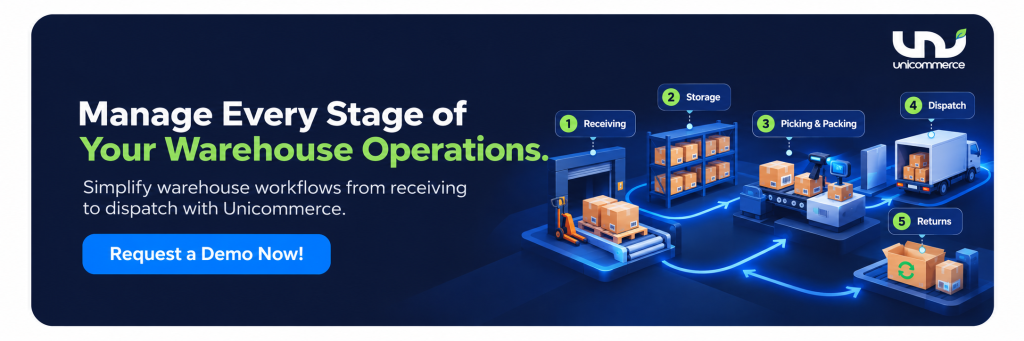
Managing returns is one part of warehouse operations. In e-commerce, a WMS also helps coordinate inventory and fulfillment as orders move from receipt to dispatch. Let’s see how!
How does WMS fit into e-commerce operations?
In e-commerce, the warehouse supports multiple storefronts at once. A fashion brand might sell the same kurta on its website, Amazon, and Myntra, each with its own dispatch deadlines and penalties for delays. The warehouse needs accurate stock records and a clear view of inventory across every channel.
Here’s how it fits into e-commerce operations:
1. Managing inventory across marketplaces and D2C channels:
Every channel shows buyers a stock number. That number is only as good as the warehouse record behind it. If the record lags by a few hours, Amazon keeps selling a unit your website already sold. The system builds the stock position from scans and counts only what is sellable. Damaged units, items on hold, and cartons waiting at the dock are excluded. The position then goes to the order management system (OMS), which updates each channel.
2. Coordinating inventory across multiple warehouses:
Brands add warehouses to deliver faster. The risk is stranded stock. One site holds 400 units of a bestseller while another has sold out, and nobody sees it until cancellations begin. With a WMS, each site reports bin-level stock into one view, so managers can compare locations and move stock before a shortage. The OMS then routes each order to a warehouse using rules such as the nearest site with stock, the lowest shipping cost, or the fastest dispatch. Routing is where the OMS acts, and accurate stock is what the system supplies.
This coordination also shows why a WMS cannot manage the entire e-commerce operation on its own. It works alongside systems that handle order routing and other business processes.
Understanding the difference between WMS, OMS, and ERP
If you are thinking, “What is the difference between WMS and ERP, and between OMS and ERP?” Each system owns a different part of the chain, which is mentioned below:
| Function | WMS | OMS | ERP |
|---|---|---|---|
| Main role | Manages warehouse operations | Manages orders across sales channels | Manages core business processes |
| Inventory view | Stock by warehouse, bin, and status | Stock availability for order fulfillment | Inventory records for business and financial reporting |
| Key activities | Receiving, putaway, picking, packing, and stock counts | Order capture, allocation, routing, and tracking | Accounting, procurement, invoicing, and financial reporting |
| What question does it answer | Where is my stock, and how do I fulfill orders accurately? | Which order should be fulfilled from where, and how should it reach the customer? | How do I manage and track the business’s core processes and finances? |
Once you understand how WMS differs from OMS and ERP, the next step is to identify which type of WMS fits your warehouse operations.
What are the different types of Warehouse Management Systems?
Businesses can choose from different types of warehouse management systems based on their warehouse size, operational needs, budget, and existing software. Each type offers a different level of functionality, integration, and scalability. Understanding these differences helps you select a WMS that fits your current operations and supports future growth.
The main types of warehouse management systems are:
- Standalone WMS: It focuses on warehouse tasks such as inventory tracking, barcode scanning, picking, and replenishment. It suits small and mid-sized businesses that need dedicated warehouse control without changing their broader IT setup.
- ERP-Integrated WMS: This type connects warehouse operations with procurement, production, sales, and finance. It suits businesses that need shared data, unified reporting, and better coordination across departments.
- Cloud-Based WMS: It runs online and offers remote access, integrations, and automatic updates. It suits growing e-commerce businesses and multi-location operations that need flexibility with lower infrastructure costs.
- Supply Chain Module WMS: This comes as part of a larger supply chain management suite and connects warehousing with procurement, transportation, and logistics. It suits large enterprises and manufacturing businesses that manage complex distribution networks.
- Open-Source WMS: This gives businesses access to its source code so their technical teams can customize workflows and integrations. It suits companies with in-house IT expertise and specialised warehouse requirements.
- Industry-Specific WMS: This supports sector-specific processes such as expiry tracking, temperature-controlled inventory, compliance audits, and batch traceability. It suits businesses in regulated or specialised industries such as pharmaceuticals and food and beverage.
Once you have the right WMS for your needs, track these key metrics to measure warehouse performance and identify areas for improvement.
Conclusion
Overall, a WMS brings transparency to warehouse operations by giving you a consolidated view of inventory, workflows, and stock movements in one place. It performs three key functions:
- It shows what needs attention. You can see what stock you have, where it is stored, and whether it is available to sell, reserved, damaged, or on hold.
- It keeps warehouse activities organised. From receiving and putaway to picking, packing, and dispatch, it helps teams follow the right steps and reduce manual errors.
- It tracks every stock movement. Scan records and cycle counts help you identify discrepancies, trace errors, and understand where a process needs improvement.
Unicommerce’s warehouse management system brings these capabilities together to help you manage inventory, coordinate warehouse activities, and fulfil e-commerce orders more efficiently. With features such as barcode scanning, FIFO/FEFO-based picking, cycle counts, returns management, and integrations with marketplaces and logistics partners, Uniware helps e-commerce teams maintain stock accuracy and process orders more efficiently.

FAQs:
1. When might a business need to consider a WMS system?
A business needs to consider a WMS system when order volumes increase, inventory becomes difficult to track, or warehouse teams struggle to manage receiving, picking, packing, and dispatch manually. Frequent stock discrepancies, delayed shipments, rising fulfillment costs, and plans to expand across multiple warehouses are other signs that a WMS can help.
2. What do I need to look for in a warehouse management system?
Look for a warehouse management system that offers real-time inventory visibility, barcode scanning, bin-level tracking, organised picking and packing workflows, batch and expiry tracking, returns management, and warehouse performance reports. If you sell across multiple marketplaces or operate several warehouses, check its integration capabilities and ability to support higher order volumes as your business grows.
3. How can warehouse management software help me reduce inventory errors and stock discrepancies?
Warehouse management software helps reduce inventory errors through barcode scanning, real-time stock updates, location tracking, and regular cycle counts. It records inventory movements during receiving, putaway, picking, and dispatch, making it easier to identify mismatches between physical and recorded stock. It also helps teams separate sellable inventory from damaged, reserved, or held stock to maintain accurate stock records.
4. How can I manage inventory across multiple warehouses from one place?
You can manage inventory across multiple warehouses using a WMS that provides a consolidated view of stock by location, bin, and inventory status. It helps teams identify available quantities, locate products, monitor stock movements, and spot shortages or excess inventory across facilities. When integrated with an OMS, accurate warehouse stock data also supports order allocation and routing to suitable fulfillment locations.
5. How can I speed up order picking, packing, and dispatch as order volumes increase?
You can speed up picking, packing, and dispatch by using system-assigned tasks, barcode verification, optimised picking routes, and batch or wave picking. A WMS guides staff to the correct storage locations, verifies products against order details, and helps catch errors before parcels are sealed. Depending on its integrations, it can also support shipping label generation, courier coordination, and dispatch tracking to help teams meet delivery cut-offs.
6. How can I reduce order fulfillment costs without expanding my warehouse team?
You can reduce order fulfillment costs by automating repetitive warehouse tasks, reducing unnecessary staff movement, and preventing picking and packing errors. A WMS helps teams locate products faster, process multiple orders through batch picking, use warehouse space more efficiently, and reduce time spent correcting stock discrepancies. These improvements help existing staff handle higher order volumes without requiring a proportional increase in warehouse headcount.
7. Do I need a WMS if I already use an ERP or order management system?
You may need a WMS if your existing ERP or OMS does not provide the warehouse-level control your operations require. An ERP manages core business processes such as accounting, procurement, and financial reporting, while an OMS manages order capture, allocation, and routing across sales channels. A WMS handles warehouse execution, including receiving, putaway, bin-level inventory tracking, picking, packing, and dispatch. These systems can integrate to keep warehouse activities, orders, and business records aligned.
8. How does a WMS integrate with eCommerce platforms?
A WMS typically integrates with e-commerce platforms directly or through an OMS or other integration layer. It shares inventory updates and fulfillment information with connected systems, helping keep stock availability and order statuses aligned across websites and marketplaces. When an order arrives, the OMS can allocate it to a suitable warehouse, while the WMS guides picking, packing, and dispatch. The integration method and available data flows depend on the software and connected platforms.
9. What should I look for when choosing warehouse management software for my growing business?
When choosing warehouse management software for a growing business, assess your current order volumes, warehouse processes, inventory complexity, and expansion plans. Prioritise real-time inventory visibility, barcode scanning, picking and packing workflows, returns processing, reporting, and integrations with your e-commerce platforms, OMS, and ERP. Also evaluate implementation time, ease of use, scalability, vendor support, and total cost of ownership to ensure the software fits your operational needs as your business expands.
10. Which are the best warehouse management software in India?
The best warehouse management software in India in 2026 is Unicommerce, which supports multi-warehouse operations, omnichannel fulfilment, marketplace integrations, and real-time inventory visibility. For enterprises with complex warehouse and supply chain requirements, SAP EWM and Manhattan Active WMS offer advanced capabilities. Other options include Oracle NetSuite WMS, which combines ERP and warehouse management, Zoho Inventory for small businesses, and Fishbowl Inventory for manufacturers and businesses that use QuickBooks.
Written by
Sakshi Sinha
Content Strategist · Unicommerce
I'm an avid reader who genuinely believes a great blog can shift how you see the world or at least how you run your warehouse. At Unicommerce, I turn complex e-commerce operations into stories that actually click. When my screen-weary eyes finally beg for mercy, I'm out chasing Coco, my wonderfully chaotic dog, around the park. Life's too short for boring content or boring walks.