
Quick commerce has transformed how India shops. From groceries and snacks to home essentials and personal care, Blinkit has become the go-to platform for delivering everything within minutes. For brands and manufacturers, this creates a huge opportunity to reach high-intent customers exactly when they need your product.
But unlike Amazon or Flipkart, selling on Blinkit requires a structured onboarding process involving approvals, category managers, APOB setup, and product verification.
1. What Is Blinkit?
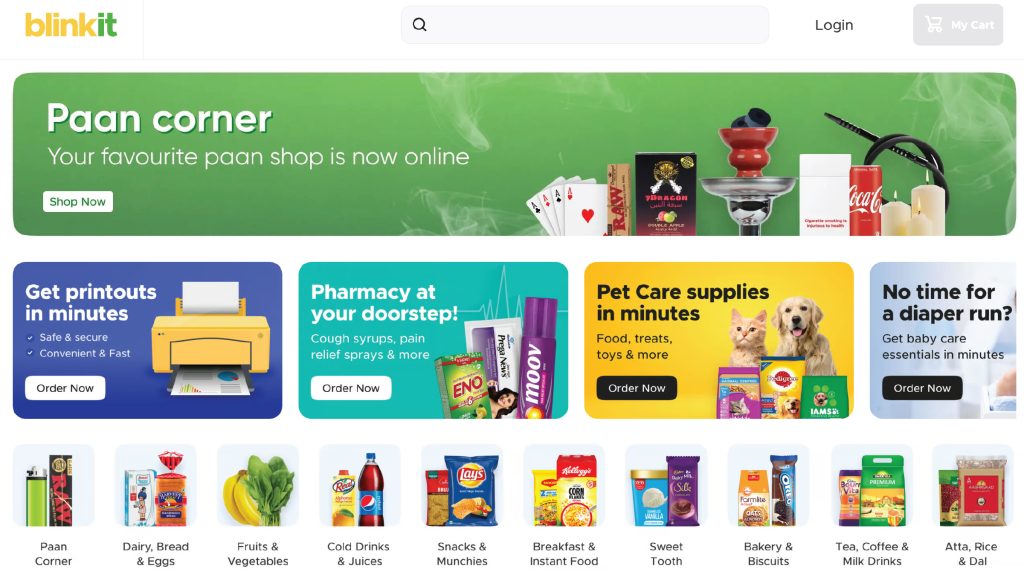
Blinkit (formerly Grofers) is India’s leading quick-commerce platform, delivering groceries, FMCG products, and essentials in minutes. With over 20–30 million monthly active users, it focuses heavily on convenience, instant deliveries, and hyperlocal supply chains.
For brands, Blinkit offers:
- High purchase intent
- Daily repeat orders
- Massive product visibility
- Zero last-mile logistics
2. Why Sell on Blinkit?
You should sell on Blinkit because it gives instant access to a large customer base, ensures fast delivery, offers predictable repeat sales, and eliminates the need to manage deliveries. The platform is ideal for FMCG, snacks, beverages, home essentials, health supplements, beauty products, and packaged foods. Top reasons:
- High-frequency orders
- Strong product discoverability
- Quick onboarding with a Category Manager
- 10–20-minute delivery model
- Reliable payouts
- Great for building brand presence
3. Who Can Sell on Blinkit?
Blinkit follows a curated marketplace model, which means it only onboards sellers who can maintain consistent product quality, stable inventory, and proper compliance. The platform supports several types of businesses, provided they meet the required documentation and supply capabilities.
- Manufacturers: Companies that produce goods directly can register and sell on Blinkit. This is ideal for FMCG, packaged foods, beverages, home care, and personal care manufacturers who want direct control over pricing, distribution, and brand visibility.
- Brand Owners: If you own a brand-registered trademark or are in process, you can list your products on Blinkit without needing a distributor. This gives you full authority over product listings, marketing decisions, margins, and inventory planning.
- Authorized Distributors: Blinkit allows distributors to sell on behalf of brands, as long as they have valid brand authorization letters. This is common for large FMCG companies where regional or national distributors manage supply to Blinkit warehouses.
- Importers: Businesses that import products from international markets can also sell on Blinkit. You must provide the necessary import documentation, FSSAI approvals (for food items), and ensure correct labelling and compliance with Indian regulations.
- D2C Brands (Direct-to-Consumer): D2C brands can apply to Blinkit as long as they meet legal and operational requirements like GST, FSSAI (if applicable), and proper packaging/barcoding. Quick commerce is a strong growth channel for D2C brands due to impulse purchases, faster stock turns, and high repeat-buy behaviour.
4. Documents Required to Sell on Blinkit
To register on Blinkit, you need:
| Document | Requirement |
| GST Number | Mandatory |
| PAN Card | Individual or business PAN |
| FSSAI License | For food & beverage categories |
| Bank Account + Cancelled Cheque | Mandatory |
| Brand Authorization | If not the brand owner |
| Trade License | Depending on state |
| APOB | Required for multi-city supply |
5. Step-by-Step Process to Sell on Blinkit (2026 Guide)
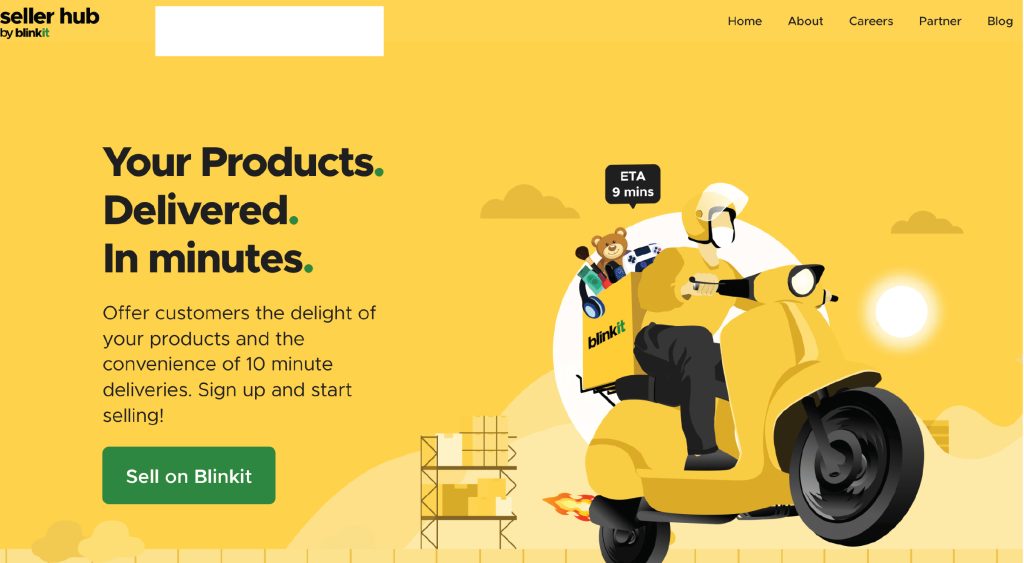
Step 1: Apply Through Blinkit Seller Registration
- Visit Blinkit seller registration portal
- Fill in basic business information
- Select your product categories
- Upload required documents
- Submit the application
Approval time: 20–45 days
Step 2: Complete Business Verification
Once Blinkit approves your application, you must:
- Complete KYC
- Add GST details
- Upload brand certificates
- Verify bank account
- Sign the Blinkit agreement
Your Seller Hub access activates after validation.
Step 3: Category Manager Assignment (Most Important Part)
Unlike Amazon/Flipkart, you cannot directly upload listings on Blinkit. A Category Manager (CM) will be assigned to you.
The Category Manager’s Role:
- Approves your SKUs
- Helps with category mapping
- Negotiates margins & trading terms
- Guides on pricing & pack sizes
- Reviews product performance
- Schedules marketing campaigns
Without CM approval, you cannot go live.
Step 4: NPI (New Product Introduction) Process
Blinkit follows a curated listing process.
You must submit:
- SKU name
- MRP & selling price
- Pack size & dimensions
- Ingredients / nutritional info
- Barcode (preferably GS1)
- High-quality product images
Blinkit takes 3–7 days to approve SKUs.
6. APOB Registration: Mandatory for Inventory Movement
APOB stands for Additional Place of Business, and it is a critical step for onboarding with Blinkit. Since Blinkit operates through regional warehouses located in different states, you must update your GST registration to legally supply goods to these warehouses.
Why is APOB required?
Under GST regulations, if you wish to store, supply, or deliver goods from any location other than your primary place of business, you must add that location as an APOB. Since Blinkit warehouses function as inventory holding and dispatch points, they must be reflected in your GST portal as your additional business locations.
How APOB Works with Blinkit?
Blinkit shares the warehouse address for each region where your products are approved for supply. You must add each warehouse address as an APOB in your GST registration for that specific state.
Only after the APOB gets approved by the GST Department can you:
- Deliver inventory to Blinkit’s warehouse
- Get your stock inwarded
- Generate valid tax invoices for that warehouse
- Receive Purchase Orders (POs)
What Happens Without APOB?
If APOB is not added:
- Blinkit cannot issue Purchase Orders
- Your stock will not be accepted at the warehouse
- Inwarding will be blocked by the operations team
- You cannot legally supply products to that state
- Your onboarding will remain incomplete
APOB for Sellers Targeting Multiple Cities:
If you want to sell across multiple Blinkit regions (e.g., Delhi NCR, Mumbai, Bengaluru, Hyderabad), you must add each state’s Blinkit warehouse address as an APOB.
So, for national-scale selling, you need APOBs for all states where Blinkit has warehouses. This ensures seamless inventory movement, faster stock replenishment, and uninterrupted sales across multiple cities.
7. Purchase Order & Inventory Inwarding Process
Once SKUs are live:
- Blinkit sends automated Purchase Orders (POs)
- Seller dispatches stock to the assigned warehouse
- Blinkit inwarding team verifies: packaging, quantity, barcodes, shelf life
- Approved stock is distributed across dark stores
- Products go live for customers
Stock must be fresh and have a 90+ days shelf life.
8. Blinkit Commission, Fees & Payouts
Understanding Blinkit’s fee structure is crucial for pricing your products correctly and maintaining a healthy profit margin. Blinkit follows a transparent, category-based charging model that includes commissions, operational fees, and optional marketing costs. Here’s a detailed breakdown:
Commission (8% – 20% Depending on Category)
Blinkit charges a commission on every sale, which varies by product category.
For example:
- Snacks, beverages, packaged foods: Generally lower commission
- Personal care, beauty, home care: Moderate commission
- Premium or niche categories: Slightly higher commission
The exact percentage is finalized during discussions with your Category Manager.
Other Operational Charges
1. Inwarding Fee: A small, per-unit fee charged when your inventory is inwarded into Blinkit’s warehouse. This covers handling, scanning, and stocking processes.
2. Storage Fee: If your products remain in the warehouse for longer periods (common for slow-moving SKUs), storage fees may apply. Faster turns = lower holding cost.
3. RTV (Return-to-Vendor) Charges: If items expire soon, get damaged, or fail quality checks, Blinkit may return them to you. RTV involves:
- Processing costs
- Reverse logistics (if applicable)
- Shelf-life penalties for near-expiry items
Maintaining fresh stock helps avoid RTV losses.
4. Discounts & Promotions: Any brand-funded discounts or price drops during promotions are deducted from your payouts. Blinkit may also co-fund major campaigns depending on performance.
5. Sponsored Listings (Optional): Paid visibility features like:
- Sponsored product ads
- Home page banners
- Category top slots
These are optional but highly effective for boosting sales.
6. Payout Cycle:
Blinkit follows a twice-a-month payout cycle, ensuring regular cash flow for sellers.
Within the Seller Hub, you can track:
- Completed orders
- Earnings
- Deductions
- Commission details
- Settlement timelines
This transparency helps you optimize your pricing, inventory, and promotion strategy.
9. How to Promote Products on Blinkit
Blinkit provides several high-impact promotional tools that help brands increase visibility, boost conversions, and drive rapid sales growth. Because customers on Blinkit are already shopping with high purchase intent, even small boosts in visibility can lead to significant jumps in order volume. Here are the key ways to promote your products effectively:
- Sponsored Product Ads:
Sponsored ads push your SKUs to the top of search results, category pages, and “recommended for you” sections. This is one of the fastest ways to improve discoverability, especially for new brands or newly launched SKUs.
Best for:
- Improving search ranking
- Competing with established brands
- Quick sales boosts during high-demand periods
- App Banner Placements:
App banners appear at the top of the Blinkit home screen or within category pages. These placements deliver massive reach and are ideal for strong brand-level campaigns.
Best for:
- New product launches
- Festive promotions
- Seasonal flavors, limited editions, or special packs
- Brand awareness and top-of-funnel visibility
Combo Offers & Flash Deals:
Blinkit customers love convenience and value. Creating combos or participating in flash deals helps increase order volume and encourages customers to try multiple SKUs together.
Examples:
- Buy 1 Get 1
- Snack + beverage combo
- Festival bundles (Diwali sweets, Holi snacks, etc.)
- Breakfast or essentials combo packs
Best for:
High-frequency categories like snacks, beverages, bakery items, personal care, and home essentials.
- Wallet Discounts & Coupons:
Brand-funded discount codes or platform-supported wallet offers help attract new customers and improve cart conversion rates.
Use for:
- Acquiring first-time buyers
- Encouraging trial for new SKUs
- Increasing repeat purchases
Even small discounts (₹5–₹10 off) can drive high-volume orders due to Blinkit’s impulse-driven nature.
- Suggested Visibility Through Category Managers:
Often overlooked, the Category Manager can recommend:
- Best timings for promotions
- Ideal discounts
- Placement opportunities
- SKU rotation strategies
Staying aligned with their guidance helps improve your chances of being featured organically.
- Typical Marketing Budget on Blinkit:
Most brands begin with a ₹25,000–₹50,000 monthly ad budget, which includes:
- Sponsored ads
- Boosted visibility
- Festival campaigns
- Limited-time deals
As sales grow, brands often scale to ₹1–2 lakh+ per month during peak seasons for maximum impact.
10. Common Mistakes to Avoid
Selling on Blinkit can become one of your most profitable channels, but many sellers lose momentum due to avoidable operational and compliance mistakes. Here are the most common pitfalls and how to avoid them:
-
Not Applying for APOBs Early:
APOB approval often takes several days or even weeks, depending on the state. Delays in approval lead to delays in receiving POs and stocking your products in warehouses. Start the APOB process immediately after onboarding to avoid operational bottlenecks.
-
Using Non-GS1 Barcodes:
Blinkit strictly prefers GS1-standard barcodes for accuracy in picking, packing, scanning, and inventory tracking. Non-standard or duplicate barcodes cause inwarding failures, wrong item scans, and higher RTV rates.
-
Sending Near-Expiry Stock:
Quick commerce moves fast, but warehouses still require a minimum of 90–120 days of remaining shelf life. Sending near-expiry products results in rejections, penalties, or stock wastage. Always dispatch fresh inventory.
-
Incorrect or Tampered MRP Labelling:
Blinkit follows legal metrology compliance. Any mismatch between the printed MRP and portal pricing can cause inward rejection or regulatory issues. Ensure all pack labels are clean, accurate, and legally compliant.
-
Slow Response to Purchase Orders (POs):
Warehouse slots and demand windows are time-sensitive. Delaying PO acceptance or dispatch leads to:
- Missed replenishment cycles
- Lost sales
- Stockouts at dark stores
Respond to POs promptly to maintain strong supply continuity.
-
Ignoring Category Manager (CM) Feedback:
The CM directly influences:
- Your product approvals
- Visibility
- Promotions
- Demand forecasting
- NPI priority
Not acting on their suggestions slows down your growth. Treat the CM as a strategic partner.
-
Submitting Wrong Image Dimensions or Poor-Quality Photos:
Blinkit demands clear, professional images that meet exact size, angle, and background requirements. Poor visuals lead to SKU rejection or reduced visibility on the app. Invest in high-quality, platform-compliant product photography.
11. Pro Tips to Scale Your Business on Blinkit
Scaling on Blinkit requires a mix of strong supply planning, competitive pricing, category coordination, and consistent marketing. Here are detailed, practical strategies to help your brand grow faster on the platform:
-
Start with 3–5 Best-Selling SKUs:
Instead of launching your entire catalog, begin with a focused set of high-demand products. This helps the Category Manager evaluate your brand’s performance quickly and allows you to build momentum before expanding your range.
-
Ensure 90–120 Days of Shelf Life:
Blinkit prioritizes products with longer shelf life to avoid returns and wastage. Always send fresh inventory with adequate remaining shelf life to improve warehouse acceptance rates and reduce RTV (Return to Vendor).
-
Maintain Consistent Stock Levels at Warehouses:
Stockouts can significantly hurt your ranking and visibility. Monitor your inventory dashboard regularly and replenish before you hit critical levels. Consistent supply ensures steady POs and better product placement in dark stores.
-
Participate in App-Wide Promotions and Campaigns:
Blinkit frequently runs festive sales, category weeks, flash deals, and sponsored listing opportunities. Joining these campaigns boosts discovery, increases sales velocity, and improves your relationship with the Category Manager.
-
Launch City-Specific Packs or Bundles:
Quick commerce thrives on convenience. Create region-specific bundles or offer value packs tailored to consumer preferences in each city. This helps you stand out from competitors and increases average order value.
-
Track OOS (Out of Stock) and RTV (Return to Vendor) Every Week:
High OOS impacts ranking and reduces your share of shelf. Similarly, frequent RTV indicates packaging or shelf-life issues. Reviewing these metrics weekly helps you catch problems early and keep your operations healthy.
-
Compare Pricing Across Offline & Online Channels:
Blinkit customers expect competitive pricing. Regularly compare your Blinkit prices with Amazon, Flipkart, BigBasket, local retail stores, and modern trade. Consistent pricing prevents cart abandonment and improves conversion.
Final Thoughts
Blinkit has quickly become one of India’s most powerful quick-commerce platforms, changing how consumers buy everyday essentials with fast delivery and high purchase frequency. Brands that onboard early gain clear advantages, like better visibility, easier category approvals, and access to a rapidly growing customer base. Its curated ecosystem, strict product checks, automated purchase orders, and hyperlocal dark-store network give brands a premium selling environment with high conversions and predictable demand.
In a market driven by convenience and instant needs, being available on Blinkit keeps your brand discoverable, competitive, and always just a few minutes away from the customer. The earlier you onboard, the faster you benefit from the future of instant commerce.
How Unicommerce Helps
Unicommerce enables brands to scale seamlessly on Blinkit and other quick commerce platforms by offering real-time inventory sync, automated order processing, efficient warehouse workflows, and accurate stock visibility. With Unicommerce, brands reduce stockouts, manage replenishment smarter, and fulfill Blinkit orders with speed and precision, ensuring they capture every opportunity in the fast-moving quick-commerce space.
FAQs
1. How do I start selling on Blinkit?
To sell on Blinkit, apply on the seller portal, complete KYC, get approval from the Category Manager, add APOBs, and submit SKUs through the NPI process.
2. What documents are needed?
GST, PAN, FSSAI (for food), bank details, brand authorization, and APOBs.
3. Can individuals sell on Blinkit?
No. You need GST registration, FSSAI (for foods), and a business account.
4. How long does it take to get approved?
20–45 days, depending on category and compliance.
5. What is APOB in Blinkit?
APOB allows you to supply goods to Blinkit warehouses in different states.
6. What are Blinkit’s commission charges?
Typically 8–20%, depending on product category.
7. How do Blinkit POs work?
Once your products go live, Blinkit automatically generates purchase orders based on store demand.
8. How are payouts done?
Payouts are processed twice per month to your registered bank account.
9. Can I sell Pan-India on Blinkit?
Yes, but only after adding APOBs for all states where Blinkit has warehouses.
10. Does Blinkit support ads?
Yes. Sponsored listings, banners, flash deals, and brand-funded promotions are available.
11. How to sell on Blinkit without GST?
You cannot sell on Blinkit without a GST number. GST registration is mandatory for onboarding as a seller because Blinkit issues GST invoices, collects tax, and requires proper compliance for marketplace transactions. Even if your turnover is below the exemption limit, GST becomes compulsory when selling through online marketplaces.
12. What are the best products to sell on Blinkit?
Blinkit is built for instant delivery of daily-need items, so products with high frequency and recurring demand work best. Popular categories include:
- Groceries & staples
- Dairy & bakery
- Snacks & beverages
- Personal care & hygiene
- Baby care
- Household cleaning supplies
- Fresh produce (in select cities)
Products that customers frequently run out of or need urgently tend to perform better in quick commerce models.
13. What are Blinkit commissions for sellers?
Blinkit charges commission on every sale, which varies by category. On average, commissions range from 8% to 15% depending on product type. In addition, sellers may also incur:
- Fulfilment & delivery charges
- Storage/warehouse charges (if stocked in dark stores)
- GST on commission (+TCS deductions as applicable)
Commission slabs can differ by brand niche, negotiated terms, and city, so Blinkit provides exact rates during seller onboarding.