
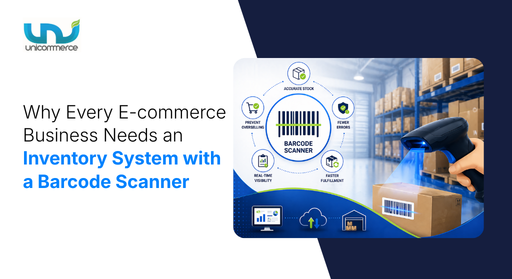
You know that moment when you’re absolutely sure you saved a file, and then you open the folder and it’s just… not there?
That’s your inventory without a barcode system. You think the stock is right, until you find out it is actually not there. This is because of bad visibility into what you actually have, and what you don’t. And in e-commerce, mistakes cost you the customer who was about to come back.
The stores scaling right now aren’t doing anything magical. They scan products in, they scan them out, and their system does the rest. So let’s talk about why getting an inventory system with a barcode scanner isn’t an upgrade for later. It’s the fix your business needs right now.
What Is an Inventory Management System with a Barcode Scanner?
Think of it as giving every single product in your warehouse its own identity card.
Each item gets a barcode so every time that product comes in the warehouse, gets stored, gets picked, gets shipped, someone scans it. And the moment they do, your system knows. Stock gets updated automatically without manual typing.
The software sits behind the scenes, keeping a live, accurate count of everything you own across every warehouse, every sales channel, all at once. No more jumping between spreadsheets. No more end-of-day stock reconciliations that somehow never reconcile.
What that looks like in practice:
- Stock moves in, gets scanned. Stock moves out, gets scanned. You always know what’s where.
- Products with expiry dates? The system makes sure the oldest stock ships first.
- Picking the wrong item, shipping the wrong quantity, losing stock in transit, all dramatically reduced.
- Returns, exchanges, restocks, handled cleanly, without the usual back-and-forth chaos.
- Ten warehouses or one, you see everything in one place, in real time.
While barcode scanning powers accuracy on the ground, it’s only one part of the bigger picture, before that, it’s important to understand what a well-structured inventory management system should look like.
What Makes a Good Inventory System for an E-commerce Business in The Philippines?
A good inventory management system must be simple to use and must adapt to the growing needs of your e-commerce business. It must have all the features from realtime inventory visibility to accurate order tracking.
| Feature | Benefit |
|---|---|
| Centralized Inventory System | Real-time stock visibility |
| Centralized Inventory System | Reduced operational costs |
| Centralized Inventory System | Faster order fulfillment |
| Channel Integration (POS + E-commerce) | Prevents overselling |
| Channel Integration (POS + E-commerce) | Real-time stock sync |
| Reorder Points | Timely stock replenishment |
| Safety Stock | Avoids stockouts |
| Regular Inventory Checks | Accurate stock records |
| Regular Inventory Checks | Early discrepancy detection |
| FIFO (First In, First Out) | Expiry date management |
| FIFO (First In, First Out) | Reduced product wastage |
| Staff Training on Inventory | Fewer operational errors |
| Staff Training on Inventory | Better inventory accuracy |
Once you understand your scale, the next step is to get clear on the specific problems you’re trying to solve.
Why Inventory System for Small Business Becomes Critical as You Scale
Let’s be honest, inventory tracking through spreadsheets can work up to 20 orders a day. But once you start growing, adding more channels, more SKUs, or more warehouses, the spreadsheet simply doesn’t scale. At some point, you need to invest in the right system before things start falling apart. Let’s understand this deeply:
Where the Cracks Can Become Crises
1. SKU complexity
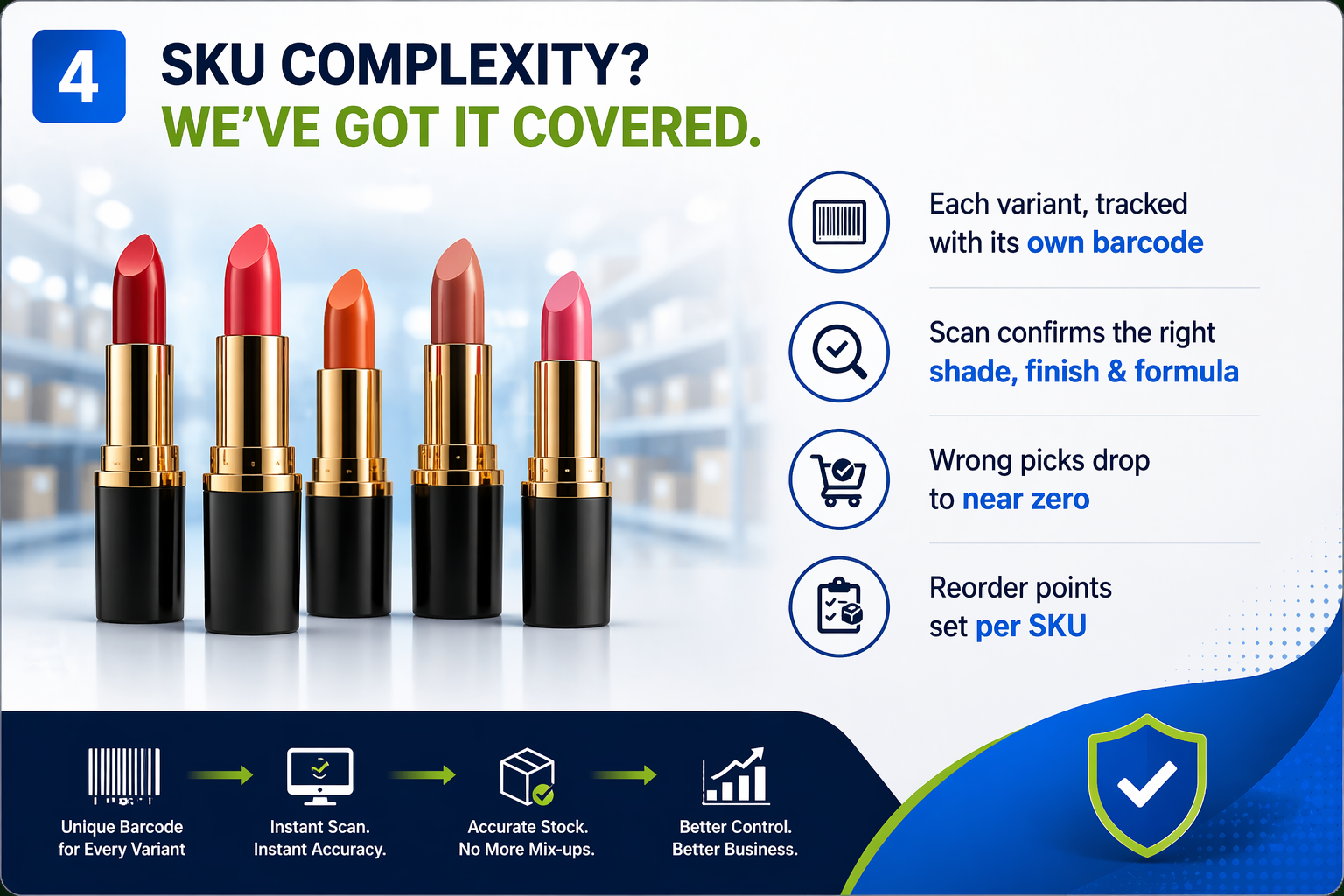
Let’s say, a beauty brand selling lipsticks might start with five shades. Then they add seasonal shades, finishes (matte, glossy, satin), and formula variants (long-wear, moisturizing). Suddenly, they have 60 SKUs under one product category. Each SKU, “Lipstick, Shade No. 14, Matte, Long-Wear”, needs its own stock count, its own reorder point, and critically, its own barcode.
Each variant needs its own barcode and stock count:
- Scan confirms: correct shade, finish, formula, instantly
- Wrong picks drop to near zero
- Reorder points set per SKU, not per category
2. Consider Multichannel Selling
Suppose you’re selling on Lazada, Shopee, TikTok Shop, and your own website at the same time. You have 500 units of a product, and a flash sale on Shopee moves 200 units in an hour. Without a centralized inventory system, other channels still show 500 units available, leading to overselling, cancellations, and poor seller ratings.
With an IMS, stock is pooled centrally. Every barcode scan at dispatch deducts inventory and updates all channels instantly. So once those 200 Shopee units are shipped, Lazada, TikTok Shop, and your website reflect the correct stock in real time.
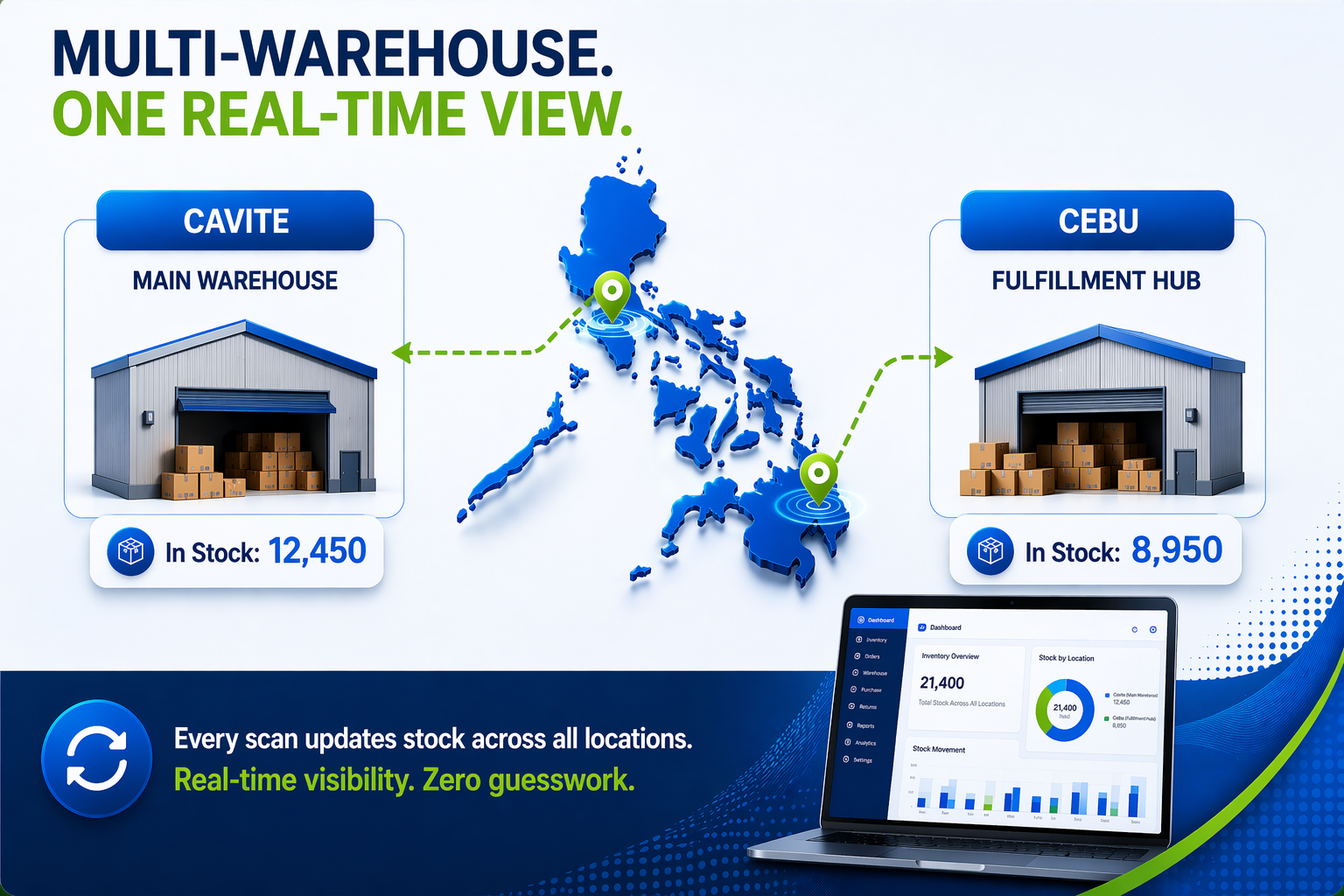
The same applies to multi-location setups. If you have a main warehouse in Cavite and a fulfillment hub in Cebu, every barcode scan updates stock across both locations, giving you a real-time view without manual updates.
- Every dispatch scan deducts from a central stock pool
- Overselling and cancellations eliminated automatically
- Multi-warehouse stock visible in real time, per location
3. Continuous Stock Tracking During Peak Season
Overstocking a seasonal product, let’s say, festival merchandise ordered too aggressively, means significant working capital tied up in goods you can’t move. Understocking a fast-moving SKU during peak season means handing sales to a competitor. An inventory system informed by constant barcode scan data gives you the purchase history, movement velocity, and reorder triggers to make these calls with data, not instinct.
- Overstock = dead capital
- Understock = competitor gets the sale
- Scan data tracks how fast each SKU moves
- Reorder triggers fire on data, not gut feel
Now that we understand how barcode-driven inventory works in practice, let’s look at why having the right system becomes non-negotiable as your business starts to scale.
What an Inventory Management System with Barcode Scanning Actually Does
An inventory management system (IMS) is software that tracks your stock from the moment goods arrive at your warehouse to the moment they leave in a customer’s parcel. A barcode scanner is the hardware layer that makes this tracking fast, accurate, and practical at real-world volumes.
Here’s what that looks like across the warehouse workflow:
1. Goods Receipt:
When a supplier shipment arrives, staff scan each item rather than manually entering it. The system logs the quantity, updates the stock count, and records the timestamp, in seconds, not minutes.
2. Putaway:
Items are scanned when placed into a bin or shelf location. The system knows exactly where each product is stored, so picking later is fast and accurate.
3. Picking:
When an order comes in, the picker scans the barcode of each item collected. The system confirms it’s the correct SKU and variant before the item moves to packing. The wrong-item-shipped problem, which generates costly returns and bad reviews, is largely eliminated here.
4. Packing and Dispatch:
A final scan at dispatch confirms the order is complete and triggers the inventory deduction across all connected sales channels simultaneously.
Every scan at every stage creates an unbroken digital record, a full audit trail from the supplier’s delivery to the customer’s door. When discrepancies show up, you can trace exactly where and when they occurred.
Key Questions to Ask Before Choosing an Inventory Management Software
1. Can it scale with my business?
What works for a small setup may fail as you grow. Consider your current SKUs, warehouses, order volume, and where you’ll be in the next 1–2 years.
Ask: Will this system still work when my business grows 2–3x?
2. What problems am I trying to solve?
Be clear about your pain points, overselling, manual tracking, poor visibility, or delayed replenishment.
Ask: Does this system directly fix my current operational gaps?
3. Does it support all my sales channels?
If you sell across marketplaces and your own website, real-time stock syncing is essential to avoid overselling.
Ask: Does it integrate with all my current and future sales channels?
4. Does it fit my warehouse operations?
Single vs. multi-warehouse setups require different capabilities like location-level tracking or stock transfers.
Ask: Can it handle my warehouse structure and workflows?
5. Will it integrate with my existing tools?
Your inventory system should connect with your ERP, accounting, logistics, and storefronts to avoid data silos.
Ask: Are integrations seamless and reliable?
6. How does it handle returns?
Returns are a major part of e-commerce. You need visibility from pickup to restocking.
Ask: Can it track return status without manual effort?
7. Is the pricing scalable?
Costs often increase with order volume, integrations, or users.
Ask: What will I pay as my business grows or during peak sales?
8. How easy is onboarding and daily use?
A powerful system is useless if your team can’t use it efficiently.
Ask: What training and support will I get?
9. Does it provide real-time insights?
You need more than data, you need actionable insights on stock, demand, and performance.
Ask: Can I easily access and use reports?
10. Is it built for my business type?
Industry-specific needs matter, what works for electronics may not suit perishables.
Ask: Does the system align with my industry and operations?
Finally, it’s important to ensure the system aligns with your specific business model and industry needs.
How Unicommerce’s IMS Simplifies These Challenges
Unicommerce is one of India’s leading e-commerce enablement SaaS platforms, helping businesses simplify and scale their operations since 2012. Its Inventory Management System is built for e-commerce operations that have outgrown manual tracking and need a system that scales reliably with them.
Our Inventory Management System (IMS) is designed to support businesses of all sizes and across industries, whether they operate online, offline, or through multiple sales channels. It helps streamline key e-commerce operations like inventory tracking, order processing, and warehouse management, making day-to-day operations more efficient and error-free.
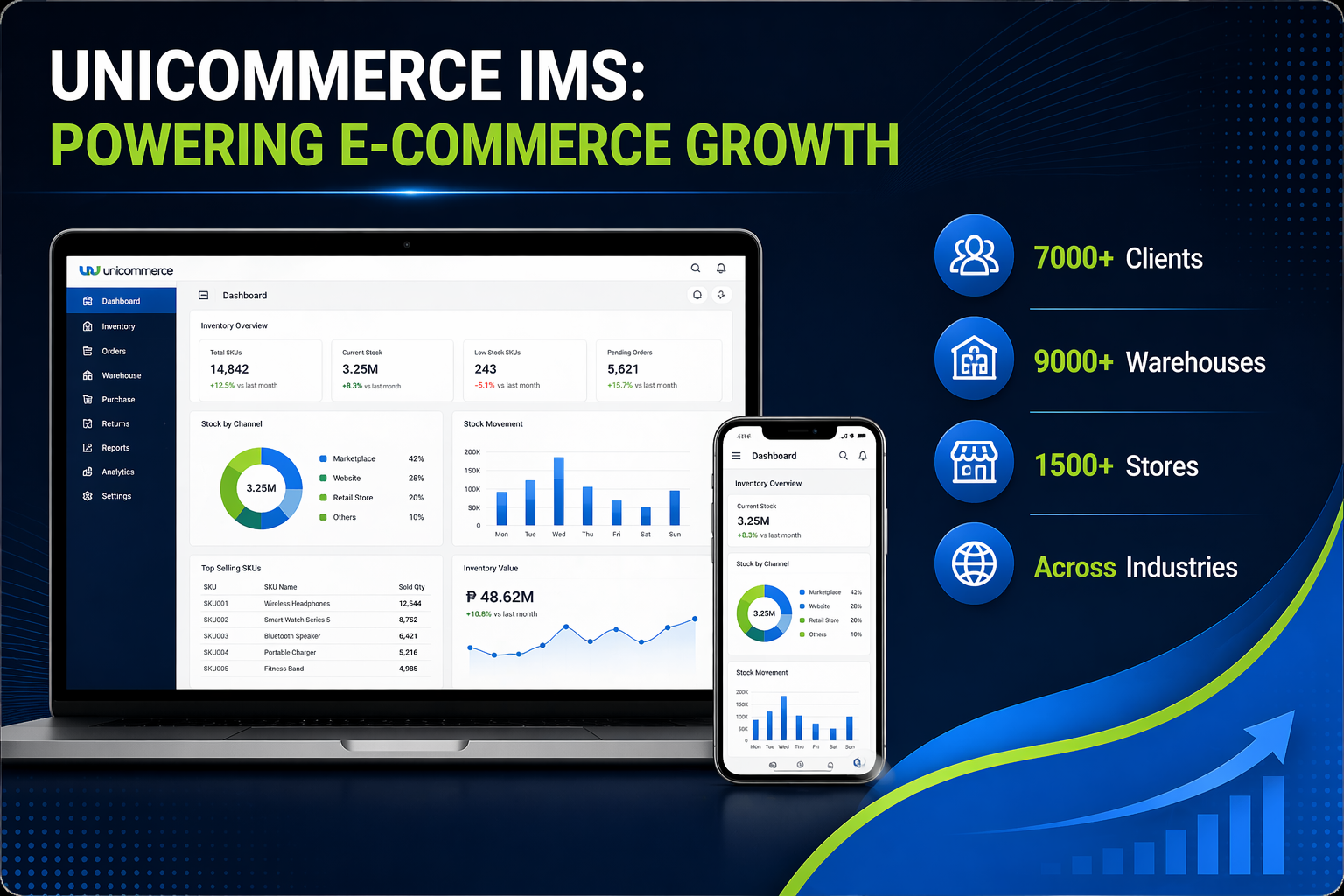
With a strong presence in the market, Unicommerce powers operations for over 7,000 clients, managing 9,000+ warehouses and 1,500+ stores. Let’s understand how the Unicommerce inventory management system can help e-commerce businesses in the Philippines.
1. Barcode-Enabled Scanning
Barcode-enabled scanning is central to how the platform operates. At every warehouse touchpoint, receiving, putaway, picking, packing, and dispatch, scanning replaces manual data entry. This removes the error layer that comes with human transcription and speeds up each stage of the fulfillment process. Every scan builds a digital log that makes inventory discrepancies traceable and auditable.
2. Real-Time Multichannel Sync
It ensures that every barcode-confirmed dispatch deducts from your central stock pool and updates all connected marketplaces instantly. Selling on Lazada, Shopee, TikTok Shop, or your own storefront simultaneously? Your available stock count is always accurate across all of them automatically.
3. Centralized Dashboard Access
gives your team a single real-time view of all inventory across all locations, accessible from desktop or mobile. No more calling the warehouse to check stock. No more version conflicts between spreadsheets. The dashboard reflects what barcode scans are telling the system, live.
4. Multi-Channel and Multi-Location Integration
It allows you to manage stock across multiple warehouses or fulfillment centers from one platform. Scan data from each location feeds into the same system, giving you consolidated visibility and the ability to route orders to the nearest or most stocked fulfillment point.
5. Automated Replenishment and Stock Level Alerts
use your scan-tracked inventory data to flag when stock is approaching reorder thresholds. Set your levels once, and the system monitors them continuously, so fast-moving SKUs never quietly run out before you notice.
6. Advanced Analytics and Reporting
Translate your barcode-tracked inventory movements into business intelligence: which SKUs turn over fastest, which are aging, what your fulfillment accuracy rate looks like, and where your stock is tied up. These are decisions that used to require hours of manual data work; now they’re a few clicks.
7. Product Shelf-Life and Expiry Tracking
Tracking is especially valuable for food, cosmetics, and pharmaceutical businesses. The system uses batch-level scan data to track expiry dates and prioritize near-expiry stock for dispatch, reducing waste and keeping your products safe for customers.
Conclusion
Inventory errors don’t start loud. They start as one missed update, one manual mistake, small enough to ignore, until you can’t. Scale hits, and suddenly that small gap is a stockout, an oversell, or a warehouse nobody can make sense of. What was manageable becomes messy, and messy becomes expensive. A barcode-powered inventory system doesn’t just clean up the errors, it removes the conditions that create them. Right stock, right count, right channel, without anyone having to chase it down manually. Because growth is only good if your operations can keep up with it. And the businesses that scale without breaking aren’t doing anything extraordinary, they just stopped leaving accuracy to chance.
FAQs
1. What is an inventory system with a barcode scanner?
An inventory system with a barcode scanner is software that tracks stock using scannable codes. Every time a product is scanned during receiving, picking, or shipping, the system updates stock automatically in real time.
2. Why is a barcode scanner important for inventory management?
A barcode scanner reduces manual errors, speeds up operations, and ensures accurate stock tracking. It helps businesses avoid wrong shipments, stock mismatches, and delays.
3. How does an inventory system prevent overselling?
An inventory system syncs stock across all sales channels in real time. When a product is sold or dispatched, stock is automatically updated everywhere, preventing overselling.
4. Is an inventory system useful for small businesses?
Yes, inventory systems for small businesses help manage stock efficiently as order volume grows. They reduce manual work, improve accuracy, and support scaling across multiple channels.
5. When should a business switch from spreadsheets to an inventory system?
A business should switch when order volume increases, multiple sales channels are added, or stock errors and delays become frequent typically beyond 20–30 daily orders.
6. How does barcode scanning improve warehouse operations?
Barcode scanning improves warehouse operations by enabling fast receiving, accurate picking, and error-free dispatch. Each scan validates the correct product and updates inventory instantly.
7. Can an inventory system manage multiple warehouses?
Yes, modern inventory systems provide real-time visibility across multiple warehouses. They track stock at each location and update quantities automatically with every transaction.
8. What features should a good inventory system include?
A good inventory system should include real-time tracking, barcode scanning, multi-channel integration, low stock alerts, reporting, and warehouse management capabilities.
9. How does an inventory system help during peak sales seasons?
During peak seasons, an inventory system tracks stock movement in real time, triggers reorder alerts, and prevents stockouts or overstocking using data-driven insights.
10. Is an inventory system necessary for e-commerce businesses in the Philippines?
Yes, e-commerce businesses in the Philippines need an inventory system to manage multiple sales channels, maintain stock accuracy, and scale operations without errors.