

The Philippines has a geography that makes logistics uniquely complex, with thousands of islands and water gaps between locations. Moving goods often involves a mix of land and marine transport, which naturally slows down fulfilment.
But in e-commerce, customers still expect fast delivery, sometimes even next-day service in key cities. To meet this demand, brands end up opening warehouses in multiple locations to stay closer to customers.
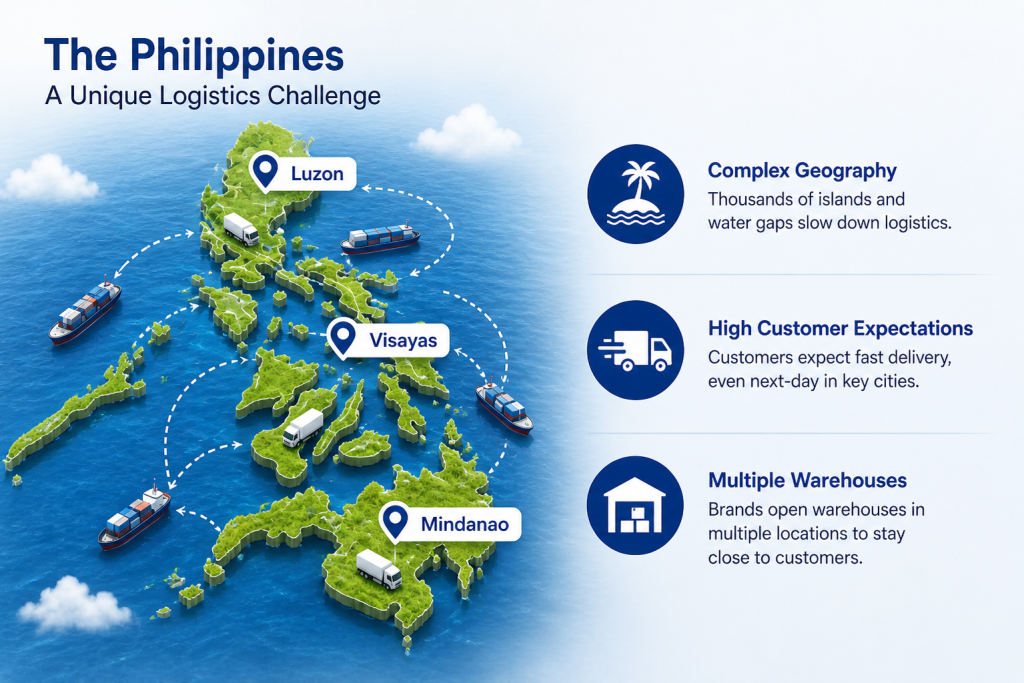
To manage this, most growing brands expand their warehouse network across multiple locations, closer to demand hubs, shipping points, and customers. And the problem starts from here, because operations shift from one simple view to multiple daily questions, like:
- How much stock is actually available in my Cebu warehouse right now?
- Has the Manila inventory been updated after today’s dispatches?
- Which warehouse has enough stock to fulfil this order fastest?
- Are all locations showing the same inventory numbers in real time?
- Did a transfer or return get updated correctly across systems?
And here you need smart and robust WMS software that can manage every warehouse at once. Why am I saying this? You will understand when you see the daily struggles your warehouse operator faces and why they need a smart WMS.
What Challenges Do Warehouse Operators Face While Managing Daily Operations?
Warehouse operators face daily challenges like inventory not matching actual stock, picking errors reaching customers, inefficient warehouse layouts that slow down order processing, and more, which are mentioned below in detail:
1. Inventory Mismatch Between System And Physical Stock
A promo goes live, and everything looks fine on the dashboard. Orders start coming in, but mid-fulfillment, the team realizes the actual shelf doesn’t match what the system shows. Stock was not updated properly after the last dispatch, so confirmed orders end up getting cancelled, and penalties follow.
2. Picking Errors Reaching Customers After Dispatch
With similar SKUs and busy shelves, picking mistakes easily slip through. A wrong size or variant gets picked, packed, and shipped without anyone noticing. The customer only discovers it after delivery, leading to returns, refunds, and lost trust.
3. Inefficient Warehouse Layout Slowing Order Fulfilment
Over time, stock gets placed wherever there is space instead of where it should be. Fast-moving products end up far from dispatch, while packing areas are not optimized. This makes pickers walk more than necessary, slowing down every order.
4. Lack Of Real-Time Visibility During Order Surges
When order volume suddenly spikes, everything feels busy but unclear. Teams can’t easily see where delays are happening, whether in picking, packing, or dispatch, and issues are usually identified only after SLAs are already impacted.
5. SLA Delays Reducing Marketplace Performance And Sales
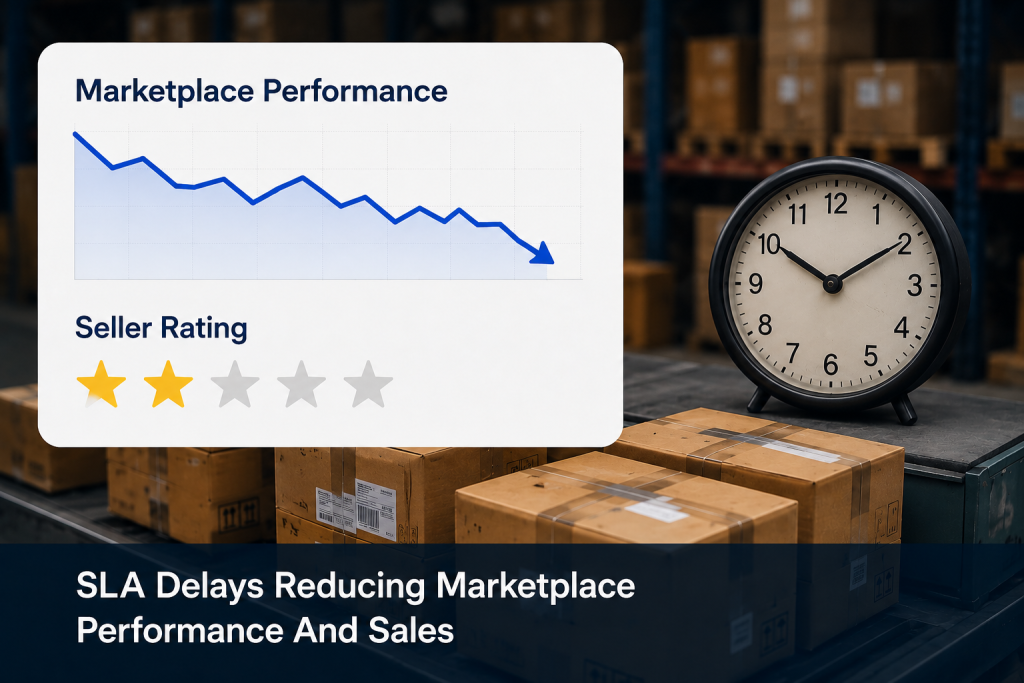
Late dispatches lower seller ratings on marketplaces, reduce visibility in search, and make ads less effective because performance scores start dropping.
6. Manual Compliance Tracking Causing Errors And Risks
Batch numbers, expiry dates, and tracking details are often managed manually or on spreadsheets. A single missed update can create gaps during audits or lead to compliance issues, especially for regulated products.
7. Disconnected Warehouse Locations
When multiple warehouses operate separately, inventory data becomes inconsistent. One location may show stock while another is already out, leading to delays, wrong fulfilment decisions, and constant coordination issues.
So these are the main challenges most brands face when operating in the Philippines, and they directly impact customer retention and loyalty at the same time. These issues need robust WMS software available in the market.
But why?
Because once you look at what these systems actually do and the features they offer, you will understand how they remove these operational gaps and bring real control back into warehouse operations.
What Features Does WMS Software Offer To Solve These Challenges?
Instead of dealing with separate problems one by one, WMS brings control, visibility, and structure across every part of operations, from inventory to fulfilment to multi-warehouse coordination.
So, the features that WMS software offers to solve these challenges are:
1. Fixing Inventory Mismatch Between System And Physical Stock
WMS software updates inventory in real time through scan-based tracking at every movement, like receiving, dispatch, returns, and transfers. This ensures the system always matches actual shelf stock and eliminates errors caused by manual updates or delays.
2. Reducing Picking Errors Reaching Customers After Dispatch
WMS software guides pickers with exact location-based instructions and barcode scanning at every step. Each item is verified before it moves ahead, which prevents wrong SKUs from being picked and shipped to customers.
3. Improving Inefficient Warehouse Layout And Movement
WMS software assigns storage locations based on SKU speed and movement patterns. Fast-moving items are placed near dispatch areas while slow-moving stock is stored further away, reducing walking time and improving order fulfilment speed.
4. Improving Real-Time Visibility During Order Surges
WMS software provides a live dashboard of all warehouse activities, including picking, packing, and dispatch. This helps teams quickly identify bottlenecks and act in real time instead of reacting after delays occur.
5. Preventing SLA Delays And Protecting Marketplace Performance
WMS software automatically prioritises orders based on SLA deadlines. Orders closest to the cutoff are processed first, helping maintain on-time dispatch and improving marketplace ratings and visibility.
6. Automating Compliance Tracking And Reducing Risk
WMS software captures batch numbers, expiry dates, and serial details automatically at receiving and tracks them through every movement. This ensures full traceability and supports FEFO-based picking without manual effort.
7. Unifying Disconnected Warehouse Locations Into One System
WMS software connects all warehouse locations into a single inventory system with real-time updates. Orders are routed to the best fulfilment point based on stock and proximity, reducing mismatches and improving coordination.
So, to understand this practically, look at how a typical weekly operation runs with and without a WMS, and you’ll clearly see how much impact even small inefficiencies or system downtime can have on the entire warehouse performance.
What a Week Looks Like Before and After WMS Software
1. Without WMS Software (Monday to Friday)
- The week often starts with manual stock counting because system numbers don’t match actual warehouse stock, which slows down fulfilment.
- Picking mistakes happen during daily operations and are only found after the order is delivered, leading to returns and extra cost.
- During busy order days, teams don’t have a clear view of what is slowing things down, so delays are handled late, and SLAs get missed.
- Compliance work becomes difficult because batch details and tracking information are stored in spreadsheets and are hard to find when needed.
- As the week ends, different warehouse locations show different stock numbers, leading to confusion, wrong order routing, and extra correction work
2. With WMS Software (Monday to Friday)
- Inventory stays updated in real time with every movement.
- Picking is scan-verified at every step, so wrong items are caught immediately before they reach packing or customers.
- During high-order days, the system automatically prioritises orders based on SLA deadlines, helping teams stay on track.
- Live dashboards give clear visibility of what is happening in the warehouse, so delays and bottlenecks are managed early.
- Compliance details like batch numbers and expiry data are always available in the system, making audits quick and simple.
- All warehouse locations stay synced in real time, so stock levels are accurate and orders are routed correctly without confusion.
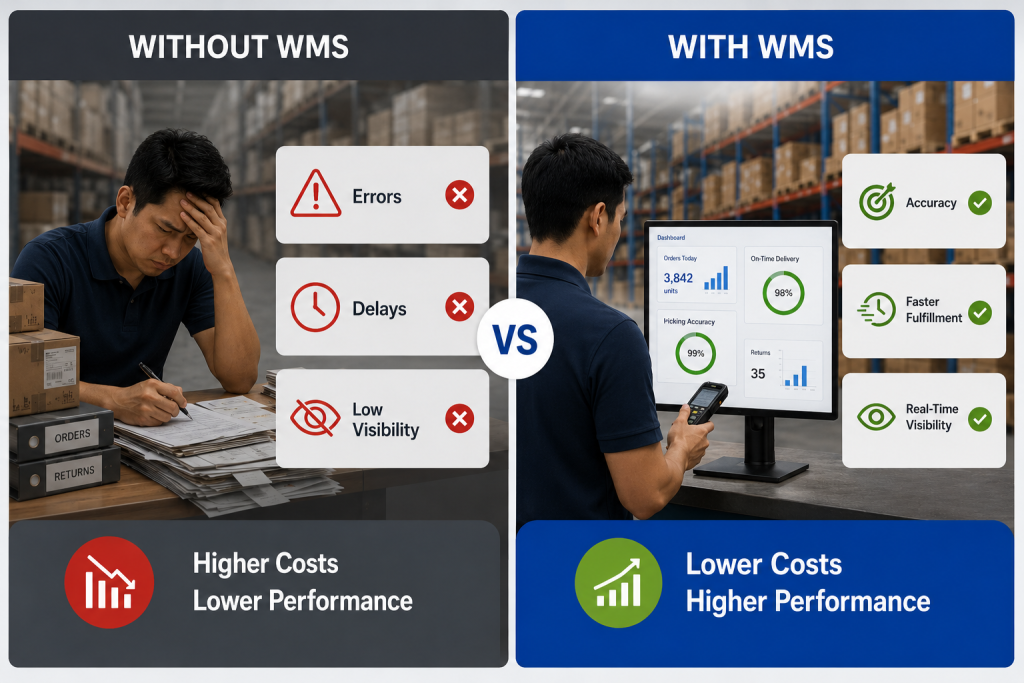
To handle this level of complexity, brands often move towards established WMS platforms that centralise inventory and fulfilment workflows. Unicommerce is one of the solutions used in such setups. See why!
How Do Warehouses Achieve Control And Visibility Using Unicommerce?
As operations scale, most warehouse challenges come from delayed updates, manual tracking, and disconnected systems across inventory and fulfilment. Unicommerce helps address this by centralising warehouse operations into one real-time system where every movement is tracked and updated instantly.
Key WMS Features Of Unicommerce
- Real-time inventory sync across channels and warehouses, ensuring stock accuracy is consistently maintained above 99%.
- Scan-based picking and packing workflows that significantly reduce manual errors and improve operational accuracy.
- Smart order routing that assigns orders to the nearest or best-stocked warehouse to improve delivery speed.
- Batch and expiry tracking with full traceability for regulated and fast-moving product categories.
- Live operational dashboard for real-time visibility into order status, delays, and warehouse performance.
- Multi-warehouse management from a single system to eliminate stock mismatches across locations.
What Brands Achieve With It: With these capabilities in place, brands typically see 20–40% faster order processing, improved picking accuracy due to scan validation, and a significant reduction in manual coordination work across teams. SLA performance improves as orders are automatically prioritised, helping reduce delays during peak seasons.
Overall, brands achieve higher fulfilment accuracy, better marketplace performance, and more stable warehouse operations that can scale without breaking under increasing order volume.
Conclusion
These challenges show up as small daily frictions that slowly become the new normal with extra checks, delayed orders, repeated errors, and constant coordination between teams.
Over time, it stops feeling like “growth” and starts feeling like just trying to keep up.
That’s usually the real signal that the warehouse has outgrown manual control, and the next stage of operations needs more structure than spreadsheets and follow-ups can provide, where a WMS like Unicommerce fits in to bring that operational control.
If the week in the “before WMS” section feels familiar, that is usually the point where things need to change. You can explore how structured warehouse operations work with Unicommerce and see if it fits your setup.
FAQs
1. What is WMS software?
WMS software, or warehouse management systems, is a tool that manages day-to-day warehouse operations in real time. They help track inventory, manage picking, packing, dispatch, and multi-warehouse coordination, replacing manual processes like spreadsheets and registers with a single system.
2. What is the biggest warehouse problem WMS software solves for e-commerce brands?
The biggest issue usually starts with inventory mismatch and picking errors, but it also extends to slow fulfilment, poor space usage, SLA delays, peak season pressure, compliance tracking gaps, and coordination issues across multiple warehouses.
3. How does WMS software keep inventory accurate?
Every stock movement is scanned and updated instantly in the system. Since updates happen at the exact moment of action, there is no delay or manual entry, ensuring system stock always matches physical stock.
4. Is WMS software suitable for mid-sized e-commerce brands?
Yes. WMS software is designed to scale with business size. Mid-sized brands benefit from better accuracy, faster fulfilment, and fewer manual errors, with most cloud systems going live within a few weeks.
5. How does WMS software help improve marketplace performance on Shopee and Lazada?
They automatically prioritise orders based on SLA deadlines, reducing late dispatches. This helps improve seller ratings, maintain account health, and increase visibility on marketplaces.
6. Can WMS software manage batch tracking and expiry dates?
Yes. Batch numbers, serial tracking, and expiry details are captured at receiving and tracked across all movements. FEFO logic ensures stock closest to its expiry date is picked first, reducing wastage and compliance risk.
7. How does WMS software manage multiple warehouse locations?
All warehouses work on a single system with real-time inventory sync. Orders are automatically routed to the best location based on stock and proximity, reducing delays and mismatches.
8. How long does it take to implement WMS software?
For most mid-sized operations, implementation typically takes around 4 to 8 weeks, including setup, configuration, and training.
9. Which platforms does Unicommerce integrate with?
It integrates with major marketplaces like Shopee, Lazada, TikTok Shop, Shopify, Magento, and multiple ERPs, keeping all orders and inventory synced automatically.
10. How do I know if my warehouse needs WMS software?
If you are facing frequent stock mismatches, picking errors, SLA penalties, manual tracking issues, or coordination problems across warehouses, it usually means your current system is no longer enough to support your scale.