
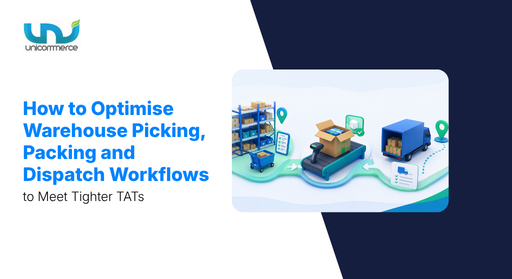
Sudden order spikes can quickly put your warehouse operations, like picking, packing and dispatch workflows, to the test. For instance, a picker walks the same aisle twice looking for a SKU that isn’t where the label says it is. The packing team is already waiting for the order. Twelve minutes pass before someone realises that the packed box is sitting in the wrong staging area. No one was tracking it, and the system did not flag it.
At 5,000 orders a month, this may feel like a small delay. At 10,000+ orders, the same issue can happen across many orders in a shift. And it is not always because a picker made a mistake. It can happen when the same warehouse process is trying to handle much more work.
This usually happens because your existing WMS is focused on system data but does not always solve the physical handoffs between picking, packing, and courier pickup. A delay in picking can leave the packing team waiting, and unorganised staging can delay the dispatch warehouse. So, as we move ahead with our warehouse operations series, this blog focuses on the picking, packing and dispatch workflow that helps your team handle growing order volumes efficiently.
What really changes when your warehouse scales from 5,000 to 10,000+ monthly orders?
At around 5,000 monthly orders, your warehouse team can often manage several activities with manual coordination. As volumes move beyond 5,000 and approach 10,000+ orders, the same activities need more structure because your team is handling almost twice the workload within a similar warehouse with packing and dispatch warehouse timelines.
| Parameter | When Handling Around 5,000 Monthly Orders | When Orders Grow Beyond 5,000 and Approach 10,000+ |
|---|---|---|
| Order Picking | Order-wise picklists can be managed by the team. | SKU-level and batch picking help reduce repeated trips to the same location. |
| Picker Efficiency | Pickers can rely on product knowledge. | Your warehouse needs shelf, bin, and zone-level location mapping. |
| SKU Search & Inventory Visibility | Manual SKU searching is manageable. | Real-time inventory and SKU location visibility become critical. |
| Order Sorting | Manual sorting can be handled by the warehouse team. | Zone-wise, channel-wise, and priority-based sorting becomes important. |
| Order Prioritization | First-in-first-out order processing can work. | Orders need prioritization based on TAT, SLA, marketplace, and fulfillment type. |
| SKU Verification | Manual SKU verification can work. | Your team needs barcode scanning and pick validation. |
| Labels & Dispatch | Manual labels and dispatch coordination are manageable. | Bulk document generation and dispatch staging become important for meeting courier cut-offs. |
The important shift is not that your warehouse suddenly needs a completely different process after 5,000 orders. The workload simply starts exposing the gaps in your existing process. When you are scaling from 5000+ order toward 10,000+ monthly orders, repeated SKU searches, manual sorting, unnecessary movement, packing handoffs, and dispatch warehouse coordination can start taking up more of your team’s time.
And it becomes even worse when any festival is approaching in India. You need to be prepared for that. So, for that, we have mentioned the next section, which will cover the practical steps you can take to build a picking, packing and dispatch workflow.
What should a scalable picking and packing process in a warehouse look like as order volumes grow?
Before a product reaches the packing table, there are several critical steps to answer your question, “How to optimize warehouse picking and packing process?” So, first, the order is allocated to the right warehouse. Then, the picker identifies the SKU, finds its location, picks the product, and sends it for sorting before it reaches the packing table.
When your order volume increases, your team has more orders to pick, sort, pack, and dispatch within the same operational timelines. When these factors are not managed through a structured workflow, even a small picking or sorting delay can affect the picking, packing, and dispatch timeline.
During a peak sale, for instance, your team may need to process significantly more orders within the same dispatch warehouse window. Pickers have more SKUs to locate, more orders to sort, and different marketplace or channel priorities to follow. Without an efficient workflow, they can end up spending more time searching for products, moving between warehouse sections, or manually deciding which orders to pick first.
And here, the warehouse packing and dispatch workflow starts getting stretched. A picker may not know the exact shelf or zone where a SKU is kept. They may walk across the warehouse several times to pick products for one order. And when the packing team is already waiting, there is pressure to move faster, which can lead to missed verification steps and packing mistakes. The pressure eventually reaches your customer through delayed orders, incorrect shipments, missed timelines, and poor reviews.
We have worked with growing brands where the warehouse teams usually ask questions like:
- How to optimize picking process in warehouse?
- How to reduce warehouse packing time?
- How can we pick item-level SKUs faster?
- Why is my team spending so much time searching for products?
- How can we reduce unnecessary movement between warehouse sections?
- How can we optimize the picking path for higher order volumes?
- How can we keep picking and packing accurate while meeting TATs?
- How to reduce warehouse dispatch delays?
- how to improve warehouse order fulfillment speed?
To answer these questions, we have outlined the must-have steps your warehouse needs to follow. So, as order volume grows, your warehouse picking and packing workflow should look like this:
1. Create item and SKU-level picking
Traditional warehouse picking often works with level-wise or order-wise picklists. The picker receives a list of orders and picks the required products one by one. This may work when you have around 200 orders to process, but as the order volume grows, the same process means more walking, more manual sorting, and more chances of errors.
SKU-level picking takes a more structured approach. Instead of asking the picker to pick order by order, the picklist groups the required quantity by SKU and shows where the product is kept in the warehouse. This means the picker only needs to know two things: what to pick and where to find it. It will remove your manual SKU searching, paper-based sorting, Repeated movement between shelves and warehouse sections, and more.
For instance, if 100 orders require the same black T-shirt, an order-wise picklist may require the picker to pick and sort the product across individual orders. With SKU-level picking, the picker can see that 100 units of the same SKU are required and go directly to its assigned shelf or bin. The products can then be sorted according to the relevant orders or fulfilment channel.
2. Organize products by shelf, bin, and zone
A warehouse can have thousands of SKUs and still run smoothly when every product has a defined place. One of our clients, Zeraki, handles bulk volumes but keeps its warehouse organized with a clear shelf, bin, and zone structure.
A simple location structure can look like: Product → Variant → Shelf/Bin.
As your warehouse grows, you can take this a step further by creating dedicated zones and sections based on product category, variant, marketplace, fulfillment type, order priority, and other operational requirements.
The right warehouse structure will depend on the space you have. A compact warehouse may need to make better use of vertical space with taller shelves, while a larger facility can create separate zones and sections to make products easier to locate.
3. Use bulk order picking for high-volume fulfillment
If your warehouse deals in bulk orders, you don’t always need to follow the complete traditional picking flow for every order. We have seen warehouse operators in markets like Surat, Jaipur, and Indore manage large volumes by identifying products through simple attributes such as color, design, or a specific product feature and arranging their shelves accordingly.
As part of your picking process, you can group products based on these attributes and pick them in bulk before moving them for sorting and packing. This reduces repeated movement across the warehouse and helps your team process time-sensitive bulk orders faster.
4. Verify the picked SKU before packing
When your warehouse handles multiple variants, similar-looking SKUs, different sizes or colors, the chances of packing the wrong product increase, especially with a large SKU catalogue. So, you can include barcode scanning or pick validation as a step before the warehouse packing process for e-commerce orders to verify every picked SKU. Your team can confirm the right product, variant, size, and quantity before sealing the package and moving it to dispatch.
Once you follow these warehouse packing processes, dispatching becomes much easier than you thought. You just need to follow a simple process to keep your orders moving efficiently and quickly. Let’s check how the dispatching process should work when you are handling 10K+ orders.
How can you build a dispatch process that keeps pace with growing order volumes?
In the warehouse dispatching process, your warehouse packing process needs to be aligned with the transportation schedule so the order is ready before the vehicle arrives. This helps avoid last-minute delays and missed pickups.
The complete post-packing workflow that a brand follows is: Packed order → Dispatch staging → Manifest generation → Courier handover → Dispatch confirmation.
So, if you are thinking, “What is dispatch process and how to improve the warehouse dispatch process?” when you are handling 10K+ orders, some parts of the process need to be automated to maintain the required speed and efficiency. The key steps of the dispatch process in warehouse are:
1. Align packing with courier cut-off times
A warehouse team needs to keep track of courier pickup times, orders ready for dispatch, pending packing orders, TAT, and dispatch priority. The challenge becomes bigger when you are handling multiple marketplaces, as each channel can have a different courier pickup schedule and TAT.
You need clear order and packing status visibility to identify which orders are getting ready, which are still pending, and which need to be dispatched before the courier cut-off. This helps your team prioritize the right orders instead of rushing through the entire warehouse dispatch queue at the last minute.
2. Prioritise orders according to TAT and SLA
Marketplace, quick commerce, D2C, and bulk orders can all have different TAT requirements. For instance, if an Amazon pickup is scheduled for 4 PM and your order is not ready by then, it may move to the next day or even get cancelled.
Your team needs to prioritize orders based on marketplace TAT, quick commerce SLA, bulk order requirements, courier pickup times, and dispatch priority. This prevents the team from processing everything on a first-in, first-out basis when some orders need to move faster.
3. Generate shipping documents in bulk
A scaling brand needs to generate multiple shipping documents such as packing slips, shipping labels, invoices, manifests, and other dispatch documents. Creating 100 documents may still be manageable, but when the number reaches 1,000, manual generation quickly becomes a bottleneck.
A system that can generate bulk documents with automated data validation helps your team process high order volumes faster while reducing errors in labels, invoices, and manifests.
4. Create a dispatch staging area
Create a dedicated dispatch staging area to organize packed orders before the courier arrives. You can divide the staging area based on courier partner, marketplace, pickup schedule, dispatch priority, or fulfillment type, depending on how your warehouse operates. A well-organized staging area helps your team quickly identify the right shipment for the right courier, reducing manual searching and last-minute dispatch delays.
Once this dispatch process in warehouse is in place, your warehouse can move orders faster, reduce manual coordination, and keep dispatches on schedule. But as your brand grows, following the same workflow is no longer enough. Higher order volumes, more fulfilment channels, and stricter SLAs bring new challenges to warehouse operations.
At this stage, you need a system that can keep pace with your warehouse instead of slowing it down. Unicommerce helps you do this with advanced warehouse management capabilities across picking, packing, and dispatch. Here’s how it can support your growing warehouse.
How does Unicommerce keep packing and dispatch on track when order volume spikes?
Unicommerce manages your e-commerce warehouse operations from receiving goods to handing over packed orders to logistics partners through a paperless and automated workflow. Today, Unicommerce manages 11,350+ warehouses and processes 115 Cr+ orders annually, with 290+ integrations across e-commerce platforms and marketplaces. With this experience, we understand what warehouse teams need to keep picking, sorting, packing, and dispatching as order volumes grow. Brands such as Paragon, Portronics, ICONIC, GOAT, and others use our WMS to manage their warehouse operations.
As your order volumes grow, your warehouse needs more than basic inventory and order visibility. Unicommerce offers advanced capabilities such as SKU-level picklists, shelf and bin management, picking validation, and streamlined packing and dispatch workflows to help your team move orders faster and with fewer errors. The platform is also built to support growing brands without adding integration complexities as your operations expand.
Here are the key WMS capabilities that matter most to growing warehouse teams:
1. Bulk order management with Blink Mode
Unicommerce Blink Mode helps brands handling bulk orders move directly towards SKU-level picking for faster fulfillment. This can be especially useful for warehouse operators dealing with large order volumes and tight TAT requirements, where following every traditional picking step can slow down the process. Instead of moving through multiple manual steps, Blink Mode helps the team pick the required SKUs faster and move them towards fulfillment, helping reduce unnecessary warehouse movement and processing time.
Several brands in Surat and Jaipur handle high-volume orders every day. When teams follow the traditional order-by-order picking process, they often have to repeat the same steps across a large number of orders. This adds extra movement and takes more time. With Unicommerce’s Blink Mode, these brands can move directly to SKU-level picking and pick bulk quantities together. This makes the process simpler for the warehouse team and helps move high-volume orders faster, especially when they need to meet tight TATs.
2. Pick-path optimization for large warehouses
For brands operating large warehouses, finding the right SKU can take significant time, especially when pickers have to move across multiple sections. Our pick-path solution provides the picker with a defined path to reach the required SKUs, helping them pick products in a more efficient sequence.
The warehouse layout can vary based on the available space. Compact warehouses may rely more on vertical storage and higher shelving, while larger facilities can have separate zones, sections, or marketplace-specific areas. Pick-path optimization helps teams navigate these layouts without spending unnecessary time deciding where to go next.
3. Shelf and bin management for large SKU catalogues
Brands managing thousands of SKUs need more than basic inventory visibility. They need to know exactly where each SKU is kept. Unicommerce provides shelf, bin, and zone-level visibility to create a structured picking workflow instead of making the team depend on individual staff members remembering product locations.
This becomes particularly useful for brands with large catalogues, where products may be distributed across different shelves, bins, zones, marketplaces, or fulfillment requirements. The team can identify the right location faster and keep the picking process moving.
How Unicommerce helped Attitudist optimise warehouse space: As Attitudist’s SKU catalogue grew, managing warehouse space and finding the right shelf locations became increasingly difficult. Unicommerce helped the brand customise its warehouse layout by allowing the team to add, remove, and rearrange shelves based on its changing inventory requirements. This gave the team more flexibility to organise its growing product catalogue without relying on a fixed warehouse layout. With a more structured storage setup, Attitudist increased its SKU count by 1,662%, managed 60K+ live inventory, and achieved a 99.99%+ order fulfilment rate.
Apart from these capabilities, Unicommerce also offers advanced features such as smart facility allocation, Picklist management, FIFO/FEFO-based picking and optimization, handheld and scanning support, error-free cycle counting, multi-warehouse management, and extensive customization to support different warehouse requirements.
Currently, we manage over 8000+ brands, bringing smarter and more integrated resource management to their operations. Our e-commerce warehouse management system is built to handle the complexities of growing businesses across different warehouse and fulfillment setups.
Conclusion
When you grow, the warehouse process that worked earlier can quickly become a bottleneck. More orders, multiple fulfilment channels, tighter TATs, and higher dispatch volumes make manual coordination harder to manage.
The brands that manage 10,000+ orders smoothly are not the ones without problems on the warehouse floor. They are the ones who can see where their SKUs are, which orders are ready for packing, where packed orders are waiting, and which courier cut-offs are approaching. This visibility helps teams act before a small delay turns into a missed dispatch.
Unicommerce helps you bring these workflows together with SKU-level picking, shelf and bin visibility, pick validation, TAT-based order prioritisation, bulk document generation, and organised dispatch staging. Want to see how this can work for your warehouse? Request a Unicommerce demo today.
FAQs:
1. How can I speed up picking, packing, and dispatch for 10,000+ orders?
You can speed up picking, packing, and dispatch by reducing the manual steps your team follows at each stage. Focus on:
- Use SKU-level picklists: Help pickers find the required SKU and quantity without processing every order separately.
- Set clear shelf, bin, and zone locations: Give pickers a defined location for every SKU to reduce searching and unnecessary movement.
- Add barcode scanning: Verify the SKU, variant, and quantity before the order reaches packing.
- Use batch or bulk picking: Pick the same SKU for multiple orders together to reduce repeated trips across the warehouse.
- Prioritise orders by TAT and SLA: Move urgent orders first based on marketplace requirements, courier cut-offs, and fulfilment type.
These changes help your team reduce unnecessary movement, improve picking accuracy, and keep orders moving towards dispatch.
2. Why does my warehouse slow down when order volumes increase?
A warehouse often slows down because the same process creates more manual work as volumes increase, even if you have a system in your stack. Pickers may spend more time looking for SKUs, teams may manually sort more orders, packing stations may wait for picked orders, and packed orders may sit in the wrong staging area. At 10,000+ orders, these small delays can happen across multiple orders and eventually create packing backlogs, missed courier cut-offs, and delayed dispatches.
3. What is slowing down my warehouse and causing dispatch delays?
There are some bottlenecks that can slow down your warehouse and cause dispatch delays. Here are some of them:
- Manual SKU searching: Pickers spend extra time finding products when shelf or bin locations are not clearly mapped.
- Unnecessary picker movement: Poor pick paths can make teams walk across different warehouse sections for the same order.
- Incorrect SKU picking: Similar-looking products, variants, sizes, or colours can lead to picking errors.
- Manual sorting: Sorting orders manually can slow down the movement from picking to packing.
- Delayed packing: Packing teams may have to wait when picked orders do not reach the packing station on time.
- Missed courier cut-offs: Orders that are not prioritised by TAT or courier pickup time can miss their dispatch window.
- Poor dispatch staging: Packed orders can get delayed when they are not organised by courier, pickup time, or dispatch priority.
4. How can I process bulk orders faster without making my team pick every order separately?
For bulk orders, your team does not always need to follow the same order-by-order picking process. SKU-level or batch picking can group the same products across multiple orders so the picker can collect them in one movement. This reduces repeated trips to the same shelf and allows the team to move larger quantities to sorting and packing together. It can be particularly useful for brands handling high-volume orders with tight TATs.
5. How can I optimize packing and warehousing processes for faster order fulfillment?
You can optimize packing and warehousing processes by creating SKU-level picklists, organizing products by shelf, bin, and zone, using bulk picking for high-volume orders, and verifying picked SKUs through barcode scanning. For packing, use the right material based on product type and create clear workflows to move packed orders quickly toward dispatch. These processes help reduce unnecessary movement, packing errors, and fulfillment delays.
6. What are the best practices for optimizing pick, pack, and shipping in a warehouse?
The best practices for optimizing pick, pack, and shipping in a warehouse include SKU-level picking, structured shelf, bin, and zone management, bulk picking for high-volume orders, barcode-based pick validation, using the right packing material, aligning packing with courier cut-off times, prioritizing orders based on TAT and SLA, generating shipping documents in bulk, and creating a dedicated dispatch staging area. These practices help your team improve speed and accuracy while handling higher-order volumes.
7. How does a warehouse management system help in packaging and dispatching?
A warehouse management system helps connect picking, packing, and dispatch workflows so your team can process orders faster with fewer manual steps. Features like SKU-level picking, shelf and bin visibility, barcode validation, TAT-based order prioritization, bulk document generation, and dispatch staging help your warehouse manage higher order volumes while reducing packing errors and dispatch delays.
8. How to create shipping labels in bulk for 1000+ orders a day?
You can create shipping labels in bulk for 1000+ orders a day through a warehouse management system that automatically pulls order and shipment details and generates labels for multiple orders together. This removes manual label creation, reduces data-entry errors, and helps your team prepare 1000+ orders for dispatch faster.
9. How to reduce packing errors in my warehouse?
You can reduce packing errors by verifying every picked SKU before packing using barcode scanning or pick validation. This is particularly important when your warehouse handles multiple variants, similar-looking SKUs, different sizes or colors, and a large SKU catalogue. A structured SKU-level picking process also helps your team identify the right product and quantity before the order reaches the packing table.
10. How to set up zone picking and batch picking in a warehouse?
You can set up zone picking by organizing SKUs across shelves, bins, and zones based on product category, variant, marketplace, fulfillment type, or order priority. For high-volume warehouses, batch picking can group similar SKUs or orders together so the team can pick larger quantities in one movement instead of processing every order separately. This helps reduce repeated movement and speeds up picking for time-sensitive and bulk orders.
Written by
Sakshi Sinha
Content Strategist · Unicommerce
I’m an avid reader who genuinely believes a great blog can shift how you see the world or at least how you run your warehouse. At Unicommerce, I turn complex e-commerce operations into stories that actually click. When my screen-weary eyes finally beg for mercy, I’m out chasing Coco, my wonderfully chaotic dog, around the park. Life’s too short for boring content or boring walks.
Related read:
- FMCG Industry Challenges in India
- Challenges & Benefits of Marketplace Payment Reconciliation
- Benefits of Shipping Notifications
- E-commerce Apparel Industry Trends
- How does Warehouse Management System Works?
- Logistics vs Supply Chain Management
- Best Inventory Management Software in India
- What is an Inventory Control System?